Automatic sending sends settlements to your accounting software for you. You control it in two places. They differ in which settlements they send. Product costs (COGS) have their own switch (see "Product costs (COGS)" below).
At the top of the page you see Automatic sending: Off (or New only, or New and earlier) and a Change link. Select Change to choose:
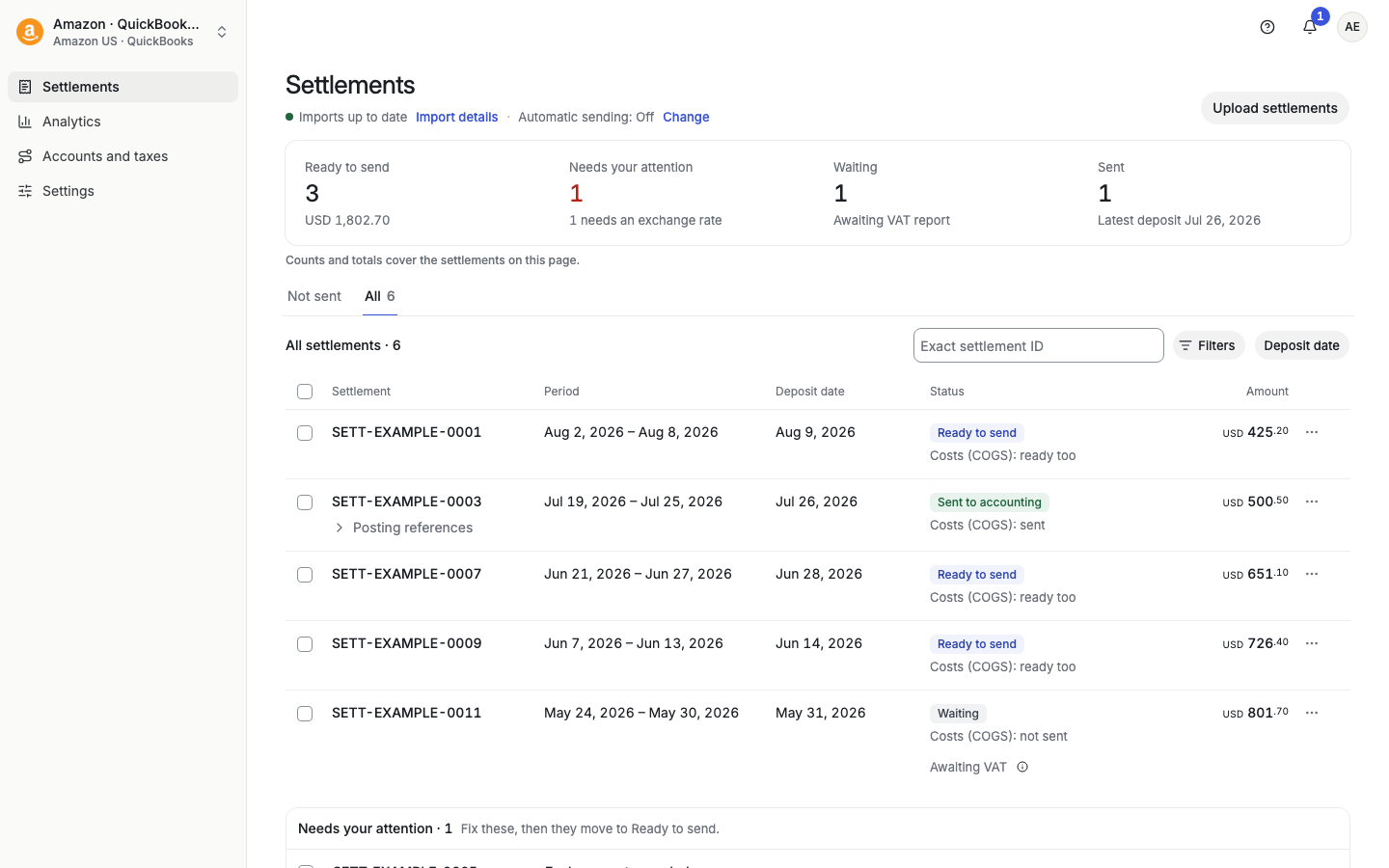
Off: Taxomate sends nothing by itself.
New only: Taxomate sends settlements imported from now on.
New and earlier: Taxomate also sends earlier eligible settlements and can retry ones that failed. This includes settlements imported before you turned it on. Use it for your first setup or when you want everything sent.
Taxomate asks you to confirm before it turns on New and earlier.
Under Automatic sending, the checkbox Send new settlements automatically (payouts: Send new payouts automatically) sends each new settlement when it is ready. For Amazon, "new" means a settlement that ended in the last 15 days. To send older settlements automatically, use New and earlier on the Settlements page.
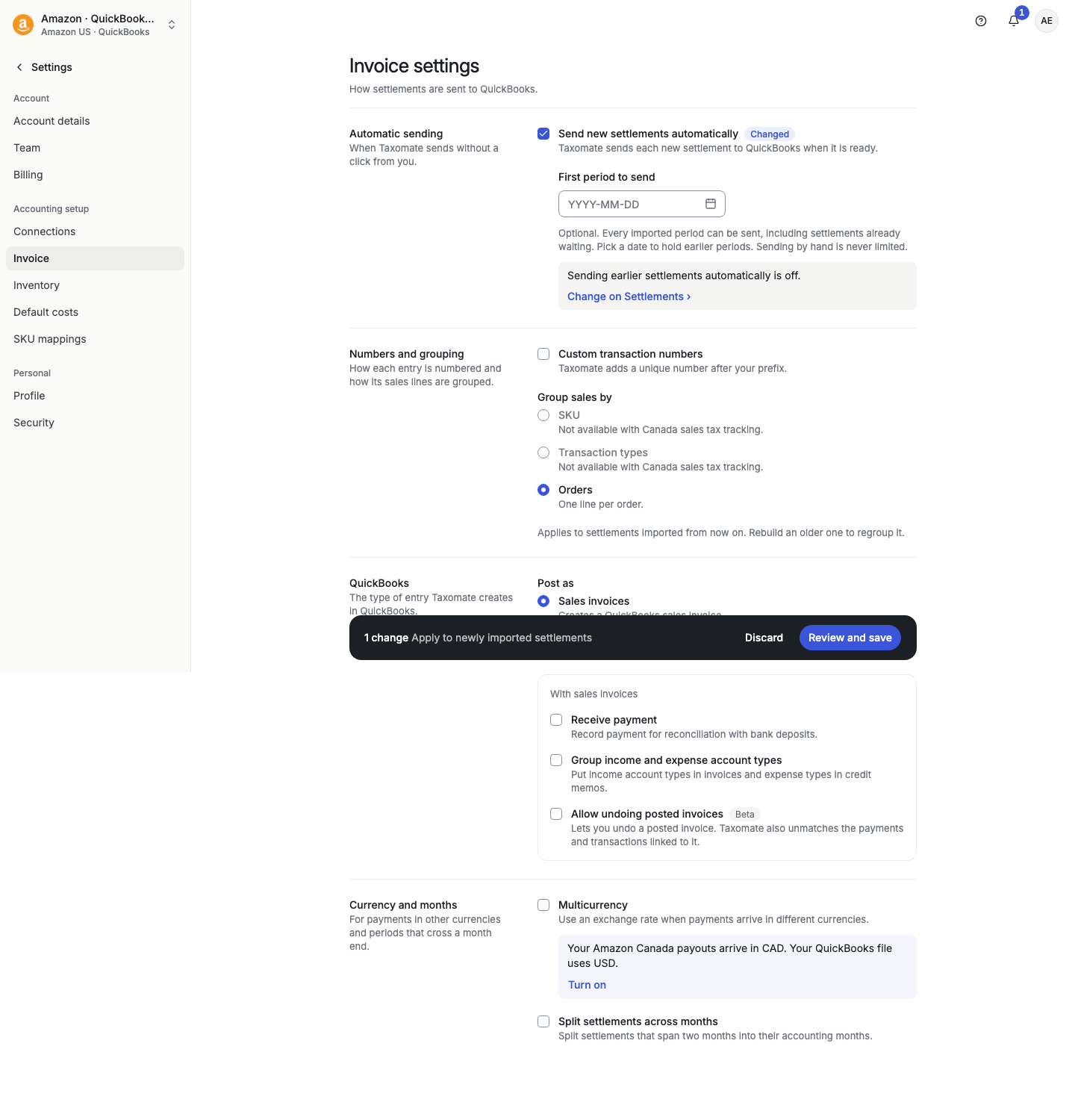
When the checkbox is on, you also see First period to send (optional). If you leave it empty, Taxomate holds nothing back by date. If you pick a date, Taxomate holds periods that start before that date. Sending by hand is never limited. Under the date, Settings > Invoice tells you whether sending earlier settlements automatically is on or off, with a link to the Settlements page.
Select Review and save at the bottom to save. If you leave the page before you save, Taxomate asks Leave without saving? first.
When a settlement is held, its page says why. For example:
A type has no account: "Not sent. Sales has no account. Map it in Accounts and taxes, and Taxomate sends again automatically." Select Review mappings.
QuickBooks has open credits: "Not sent. QuickBooks would apply 2 open credits or unapplied payments totaling $120.00 to Taxomate's invoices. Turn off Automatically apply credits in QuickBooks, or apply them, and Taxomate sends again automatically."
The words "and Taxomate sends again automatically" show only while Automatic sending is on. Otherwise the text ends "then send it again."
Go through this list in order.
Is Automatic sending on? On Settlements or Payouts, the top line shows Automatic sending: Off, New only or New and earlier. In Settings > Invoice, the box Send new settlements automatically must be on. Automatic sending also needs an active Taxomate plan. TikTok payouts are always sent by hand.
Is the settlement new enough? New only sends a settlement that ended in the last 15 days. For a payout, the deposit date must be from 1 to 15 days ago. A payout waits until the day after its deposit date. An older settlement is not sent by New only. Choose New and earlier, or send it by hand.
Is it before First period to send? If you set a date, Taxomate holds a period that starts before that date. Check Settings > Invoice. This also holds COGS.
Is something holding it? A row that says Review mappings, Exchange rate needed, Set marketplace, Totals do not match, Awaiting VAT, Already in your books or Sending is blocked is skipped. A settlement that you archived is skipped too. Fix the reason. See "What does this settlement status mean?".
Is it in another currency? An Amazon settlement in a currency that is not your accounting currency is sent only when a rate is saved. Until then it shows Waiting for exchange rate.
Did Taxomate try and fail? The page of the settlement shows why. Automatic sending tries a new settlement up to 4 times. With New and earlier, it tries an older settlement once. After that, fix the cause and send it by hand.
Did you wait long enough? Automatic sending runs several times a day. Allow up to 3 hours for a new settlement and up to a day for earlier settlements.
Sending by hand is never limited by the date or by these tries. Before you send by hand, look in your accounting software. Do not send a period that another tool already posted. See "Delete, archive or mark as not posted" if you must remove an entry first.
If Automatic sending is on, nothing holds the settlement, and it still did not send, select Contact support. Add the settlement ID and the date you expected it.
COGS has its own switch: Settings > Inventory > Automatically send COGS. It follows the same First period to send date: Taxomate does not send COGS automatically for a period that starts before that date.
New and earlier (Settlements or Payouts page): sends all eligible settlements, including earlier ones.
New only (Settlements or Payouts page): sends settlements imported from now on.
Send new settlements automatically (Settings > Invoice): sends new settlements from when you save. If you set First period to send, it holds periods that start before that date.
Example: You turn on Send new settlements automatically on October 1 and set First period to send to October 1. Taxomate holds periods that start before October 1. To send older settlements, use Change on the Settlements page and choose New and earlier, or send them by hand.
