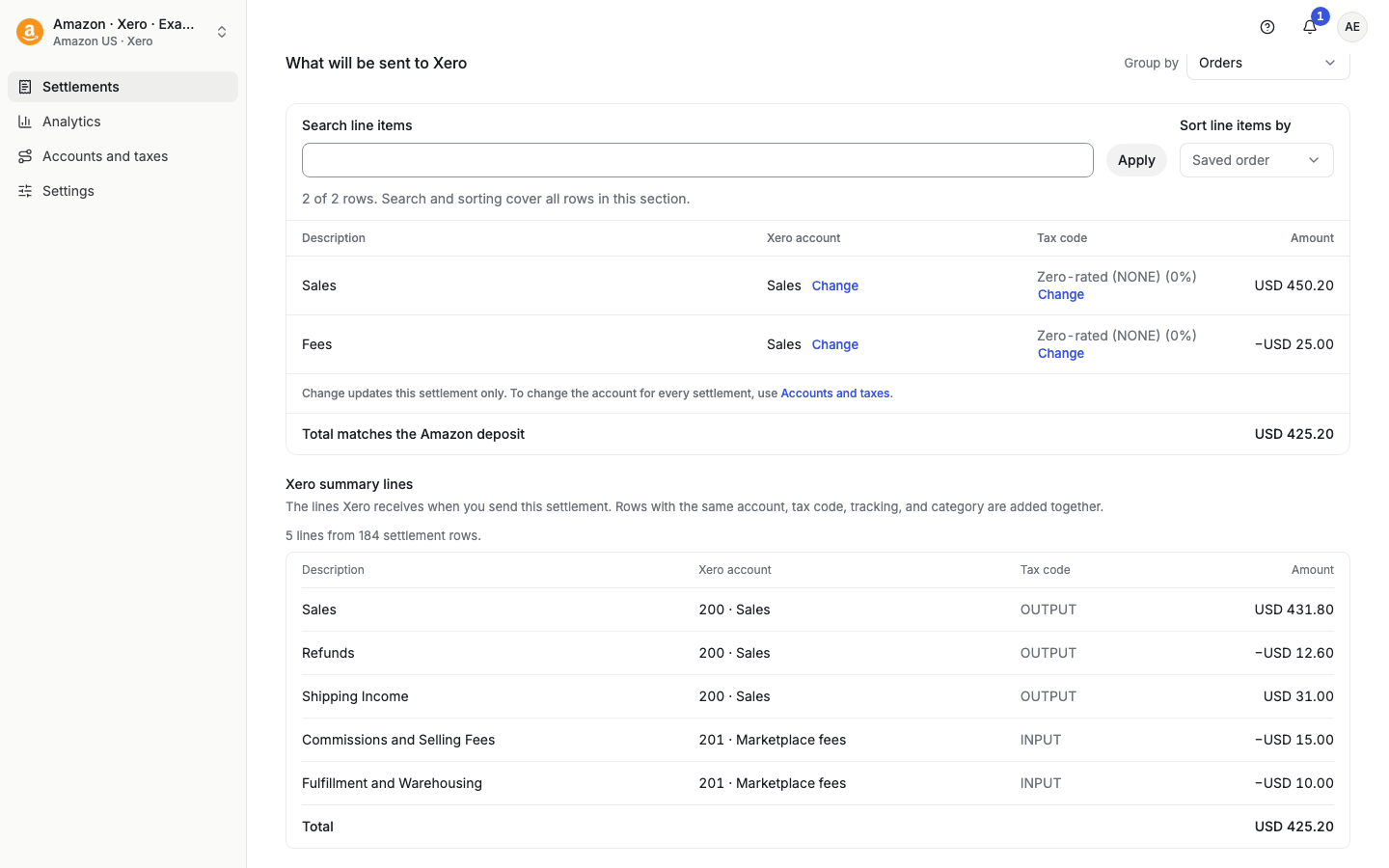
Taxomate can send each settlement to Xero with short summary lines or with one line for each settlement row. You choose this in Settings > Invoice, in the Xero section, under Xero invoice lines.
The two choices
Summary: one line for each account, tax rate and category. Xero shows category lines, and the SKU detail stays in Taxomate.
Detailed: one line for each settlement row.
New accounts start on Summary. Accounts that were set up before this setting keep Detailed until you change it.
With Summary, the tax on an invoice can differ by a few cents from Detailed, because Xero rounds the tax on each tax-inclusive line.
Change the setting
Open Settings, then Invoice.
In the Xero section, under Xero invoice lines, choose Summary or Detailed.
Select Review and save, read the review, and confirm.
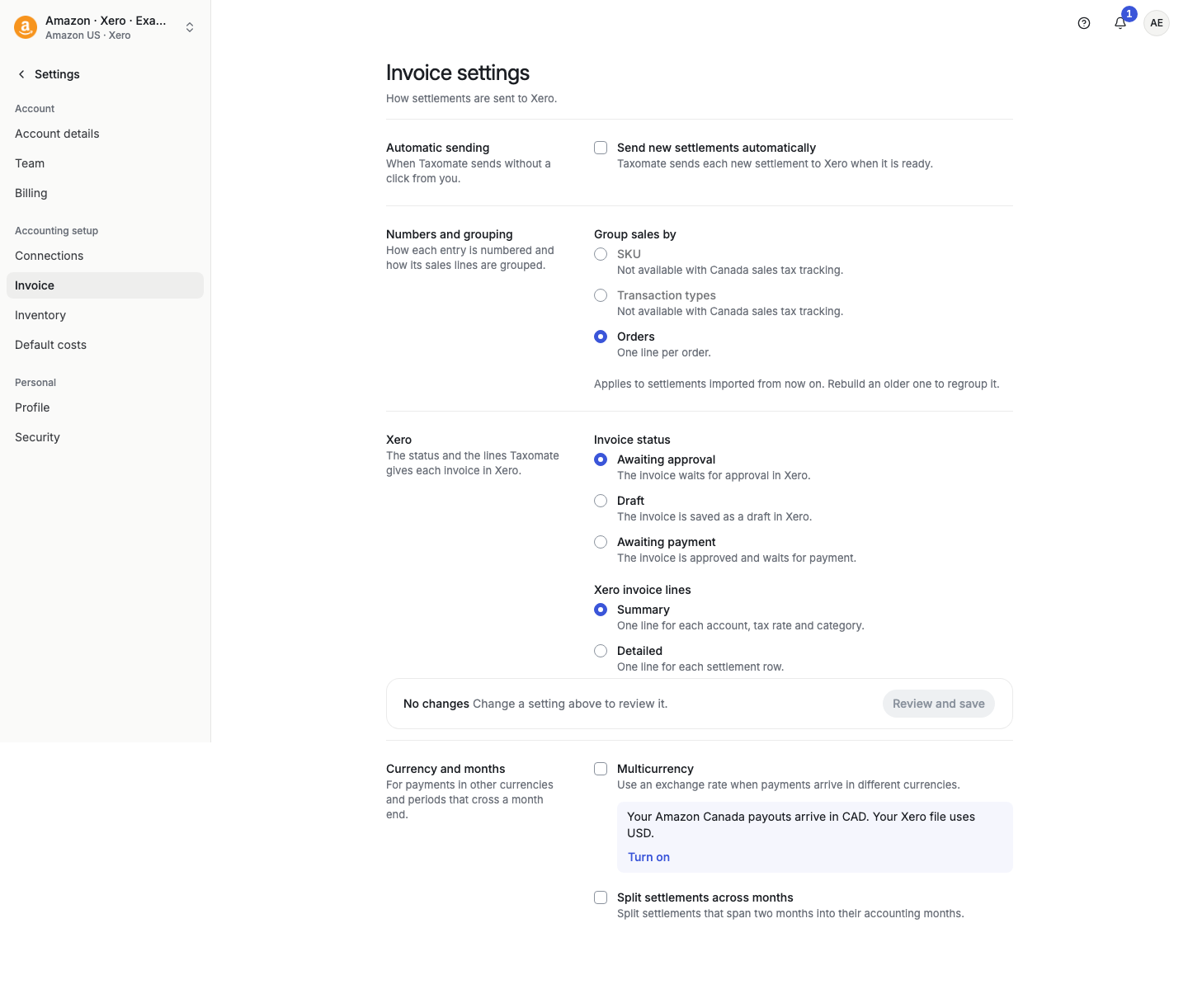
The setting applies to what Taxomate sends from now on. It does not change invoices that are already in Xero.
See the lines before you send
With Summary, the settlement page shows Xero summary lines under What will be sent to Xero. This list shows the lines Xero receives when you send the settlement. Rows with the same account, tax code, tracking, and category are added together. The list is read-only, and it does not show once any period of the settlement is sent.