Amazon accounts see Settlements. Other sales channels see Payouts. The page works the same way.
Imports up to date and Import details tell you if Taxomate is still importing.
Automatic sending: Off (or New only, or New and earlier) and Change. See "Automatic sending in Taxomate".
If your free send is used and you have no active plan, a line shows above the list, for example Your free send is used. Choose a plan to send 3 ready settlements. Select Choose a plan.
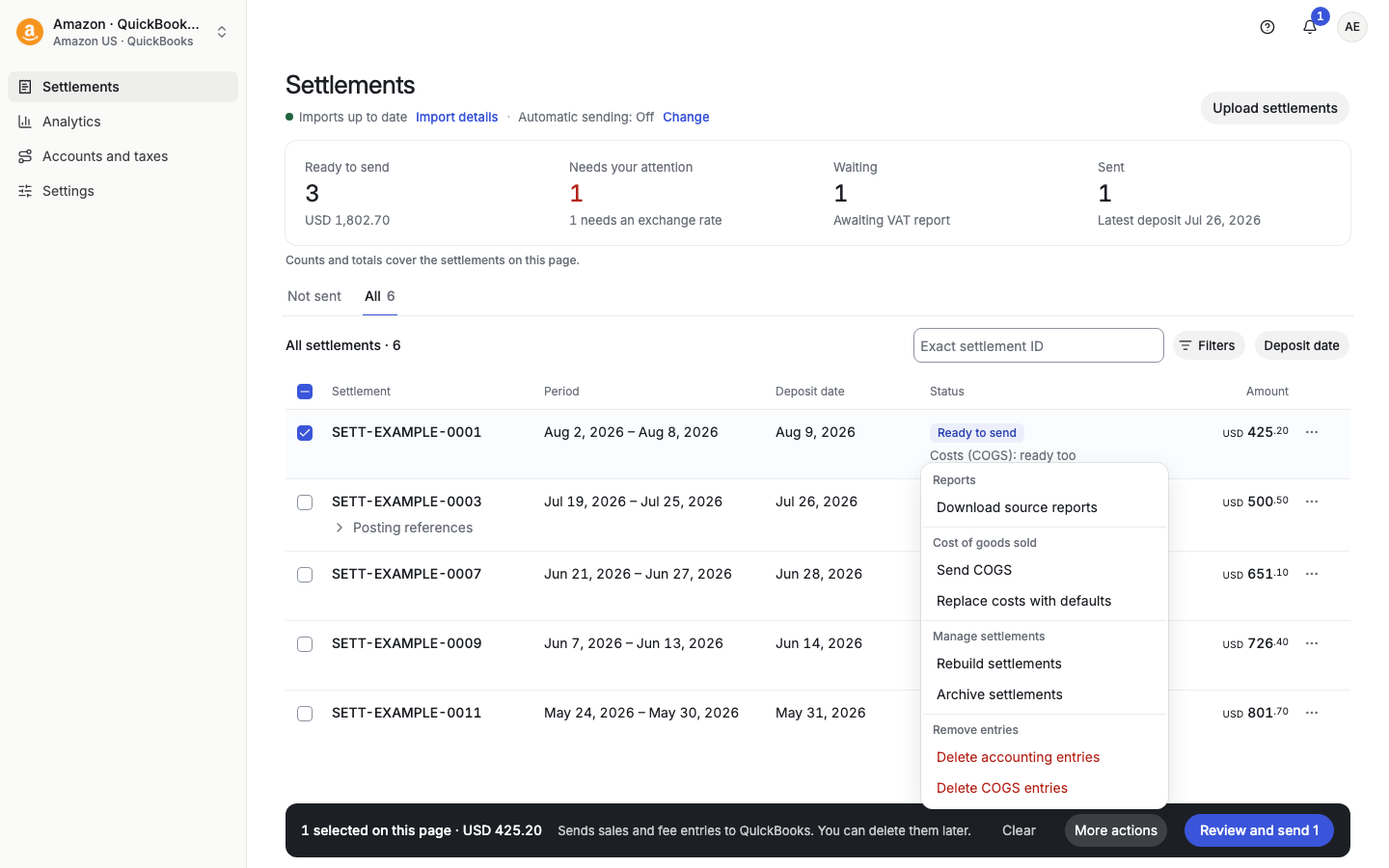
A summary card counts the rows on this page: Ready to send, Needs your attention, Waiting, and Sent.
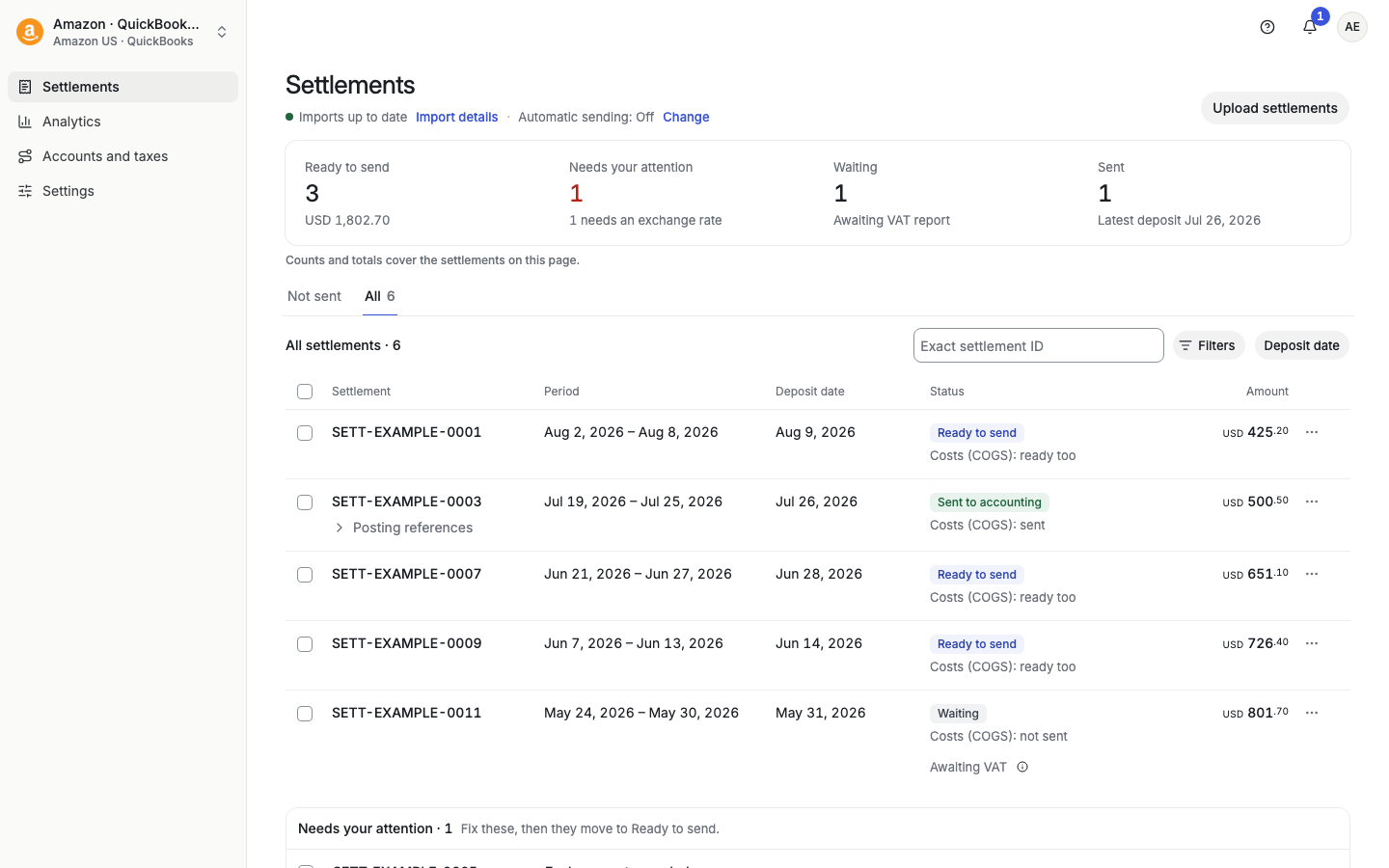
Ready to send: fully processed, ready to go to your accounting software.
Needs your attention: Taxomate needs something from you before it can send, for example Exchange rate needed or a transaction type with no account. The row has a button for the fix, such as Enter exchange rate or Map 1 type. Map 1 type opens Accounts and taxes for that marketplace, with a Back to link at the top.
Waiting: Taxomate is waiting for something, for example Awaiting VAT (the Amazon VAT report).
Sent to accounting: the entries were sent. Posting references shows where.
Not sent and All tabs.
Exact settlement ID (payouts: Payout ID) finds one settlement. It ignores dates.
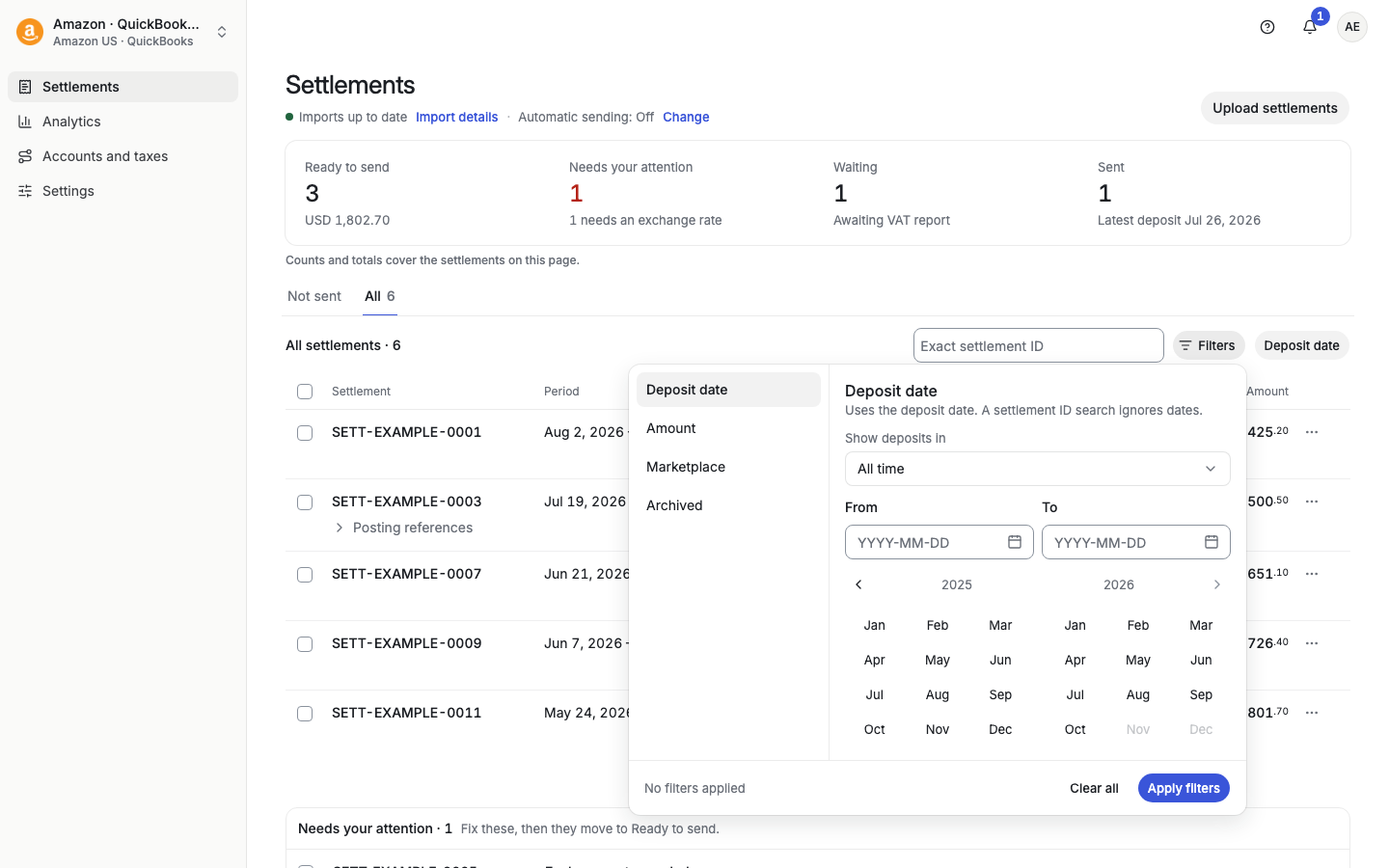
Filters opens a popover with Deposit date, Amount, Marketplace, and Archived. Active filters show as chips you can remove.
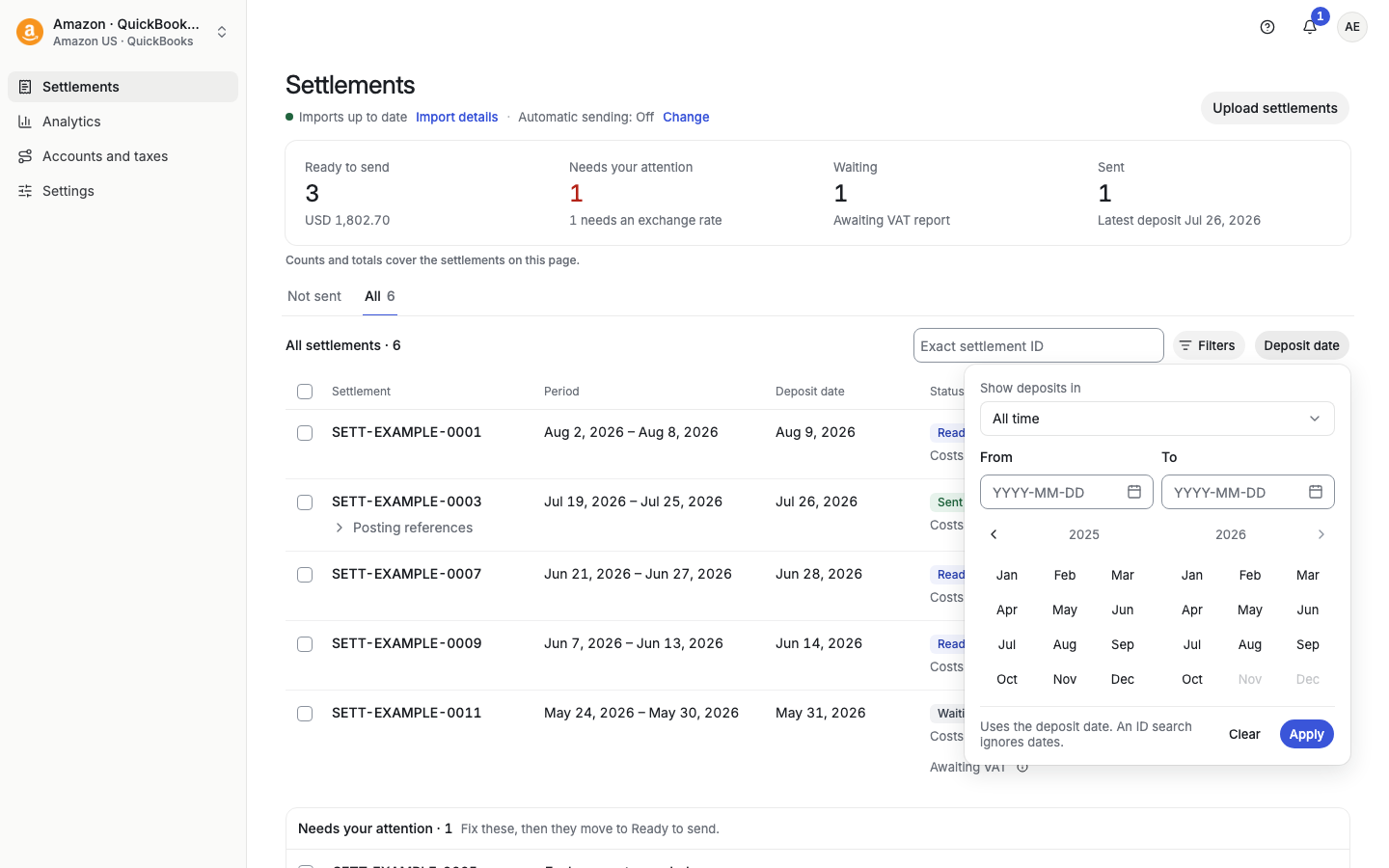
Deposit date opens the date picker. Choose All time or a range with From and To, then Apply.
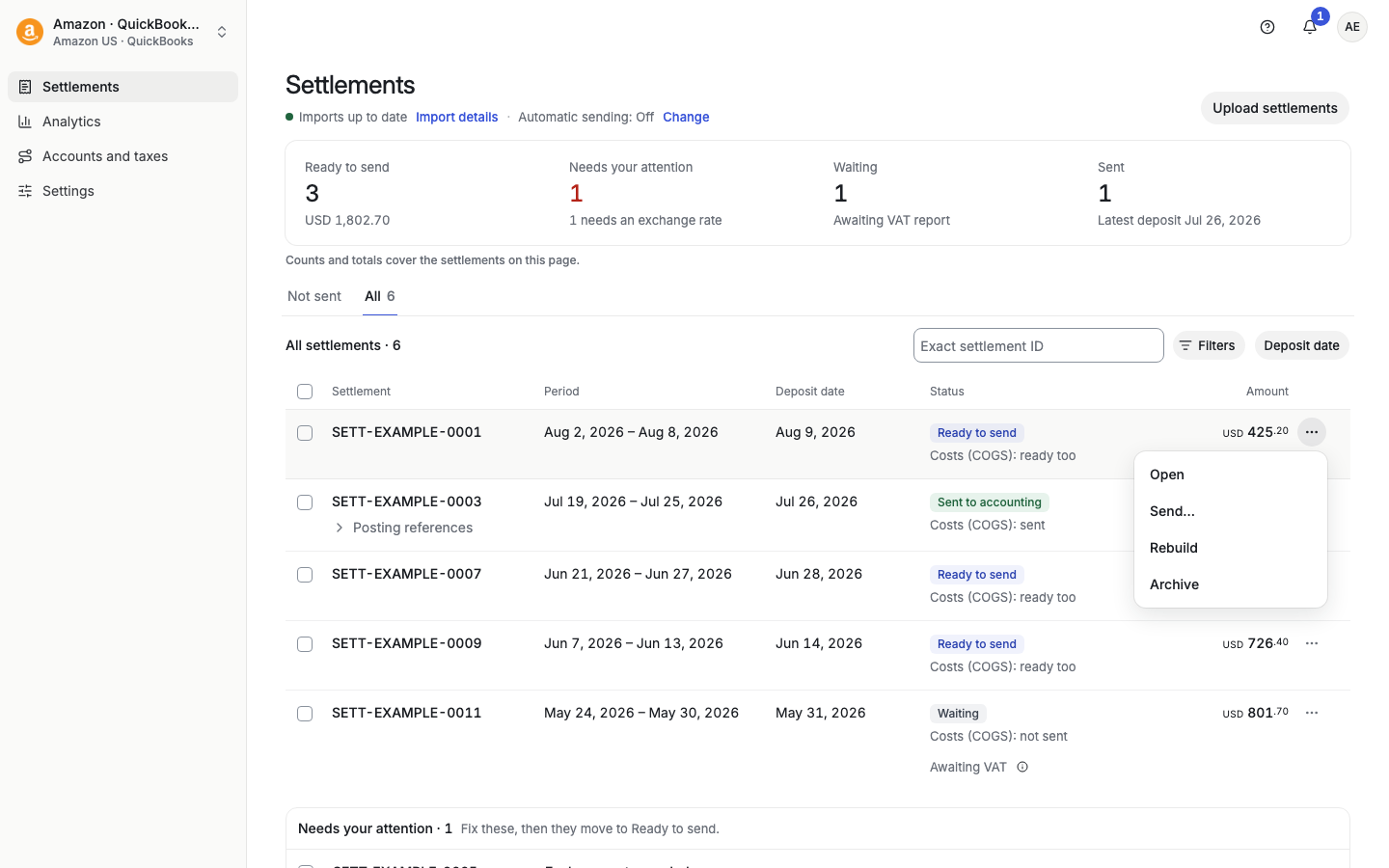
Select ⋯ on a row: Open (see the details), Send…, Rebuild, Archive (Restore for an archived row). Rows that need attention offer Open, Rebuild, and Archive. Archive is not offered once entries are sent. Delete is not in the row menu.
Select rows with the check boxes. The bar at the bottom shows "N selected on this page" and Review and send N. N counts only the rows Taxomate can still send. A mix shows, for example, "3 to send · 1 already sent". If every selected row is sent, the bar says Everything selected is already sent. and has no send button. More actions has:
Reports: Download source reports.
Cost of goods sold: Send COGS, Replace costs with defaults.
Manage settlements: Rebuild settlements, Archive settlements (payouts: Rebuild payouts).
Remove entries: Delete accounting entries, Delete COGS entries (the same item for payouts).
Bulk actions skip rows that cannot take the action and say so.
Open a row to see its details.
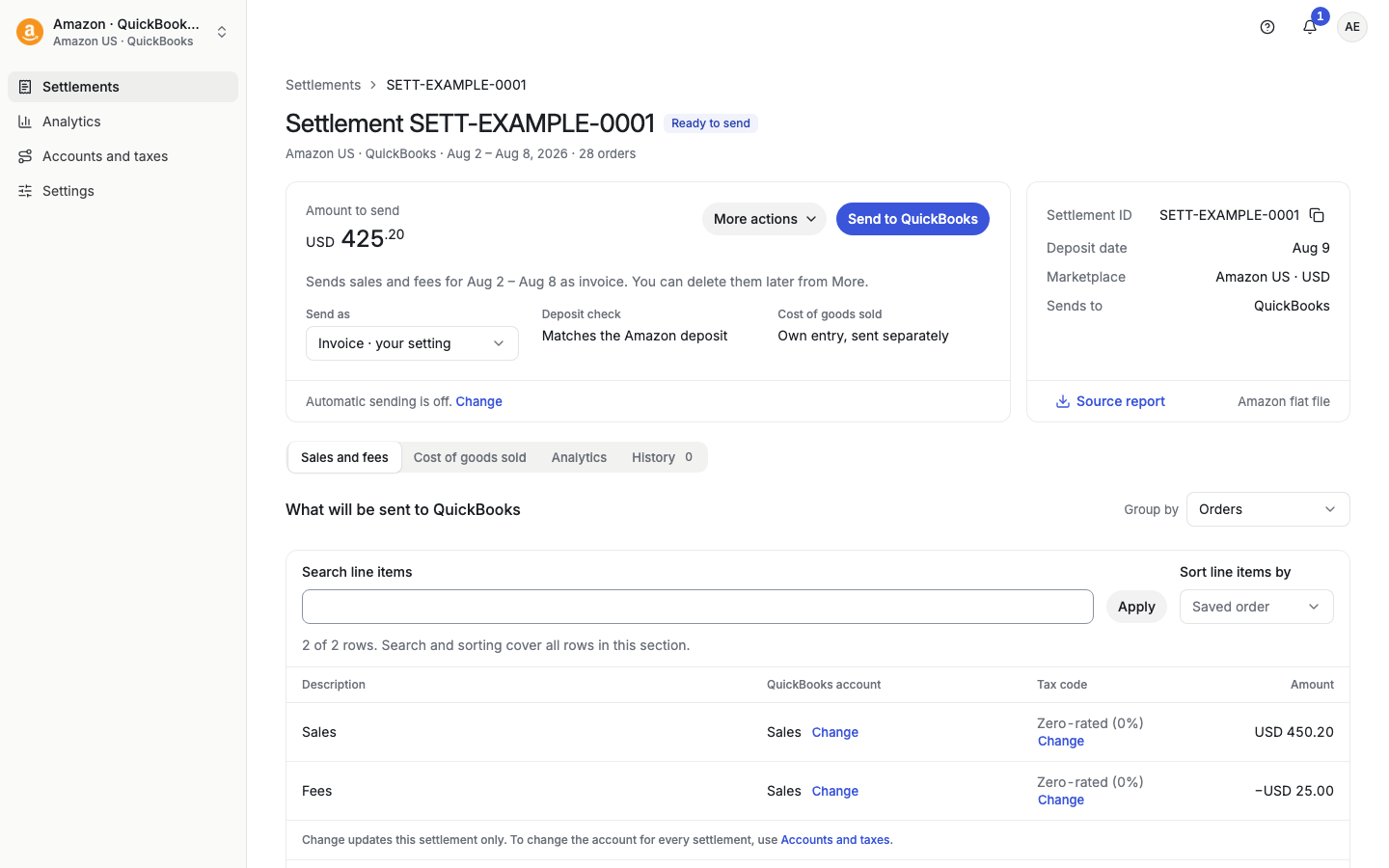
The left card shows the amount, Send to QuickBooks (or Xero, Wave), More actions, Send as, Deposit check, and Cost of goods sold. The right card shows the Settlement ID, Deposit date, Marketplace, Sends to, and Source report.
Tabs: Sales and fees, Cost of goods sold, Analytics, History. A settlement with tax can also show a sales tax or VAT tab.
On Sales and fees, check What will be sent. Group by changes how lines are grouped.
On Cost of goods sold, check product costs before you send them. Select Replace costs with defaults to use your default costs.
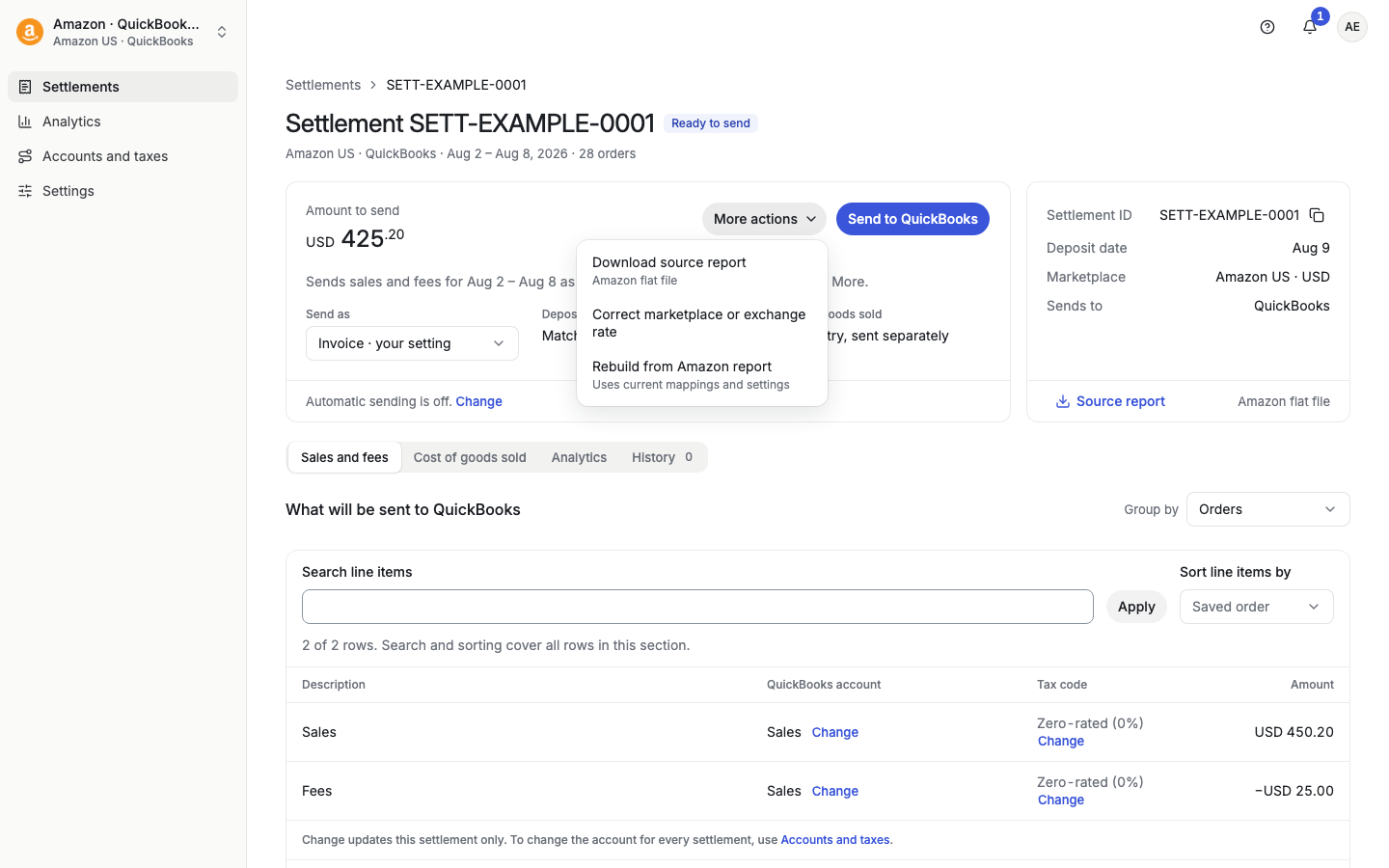
More actions: Download source report, Correct marketplace or exchange rate (before you send), Rebuild from Amazon report, and, after a send, Delete entries from your accounting software and Mark as not posted.
A payout that has a type with no account shows the status Needs mappings until you map it.
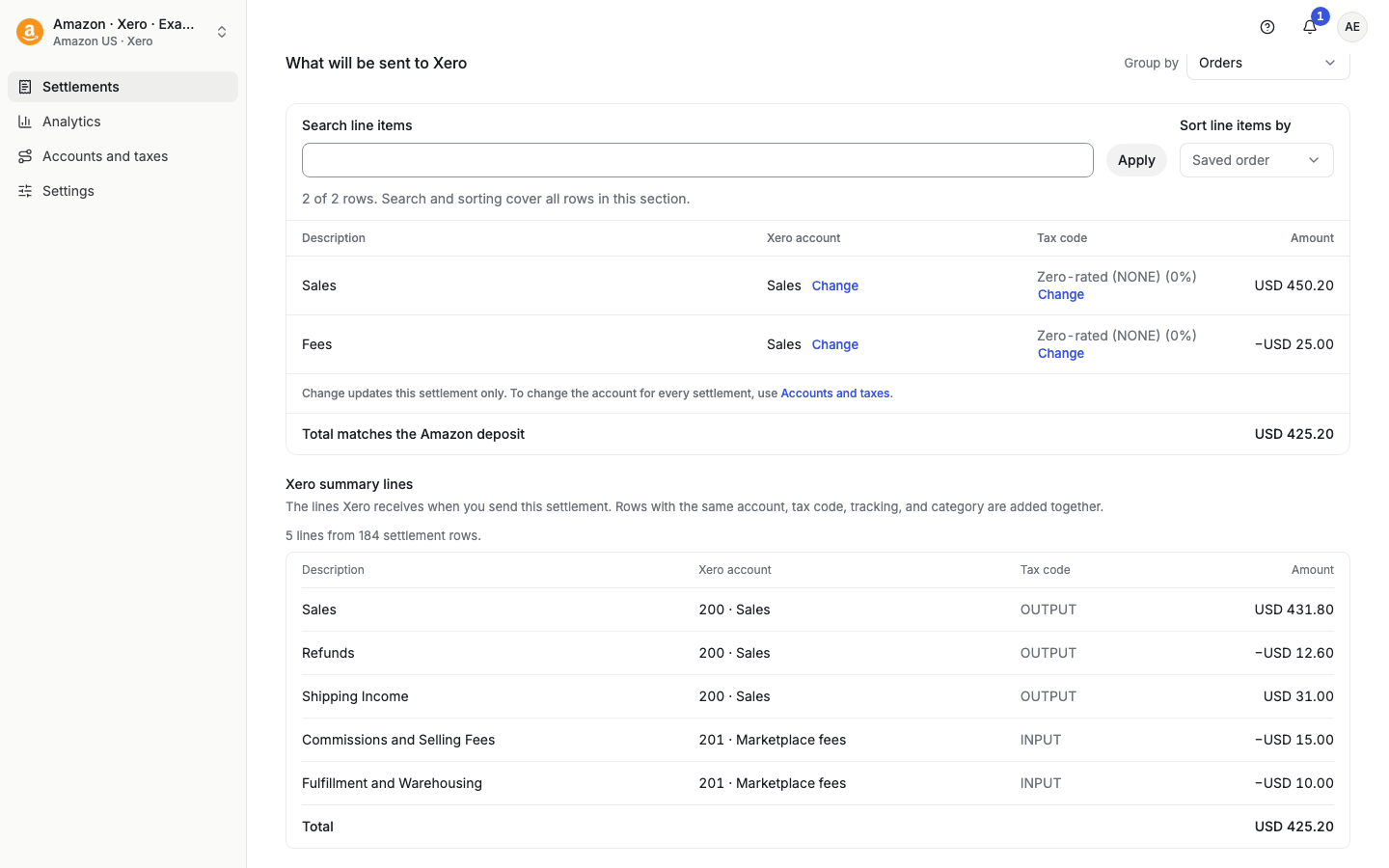
Xero, Summary invoice lines: under What will be sent to Xero, the section Xero summary lines shows the lines Xero receives when you send. Rows with the same account, tax code, tracking, and category are added together, for example "5 lines from 184 settlement rows". It is read-only. It does not show once any period is sent. See "Xero invoice lines: Summary or Detailed".
While a list or page loads, you see a grey outline of the page with its real titles, for example Loading settlements…. This is normal.
