Marketplace mappings is where you tell Taxomate which accounts, customer and class to use for each marketplace. Taxomate needs these before it can send a settlement or payout.
To open it, go to Settings > Connections, then select Manage marketplace mappings. The page header shows your account, the marketplace and your accounting software.
If your account has more than one marketplace, use the Mappings for list to choose one. Each marketplace has its own settings.
The rows depend on your accounting software.
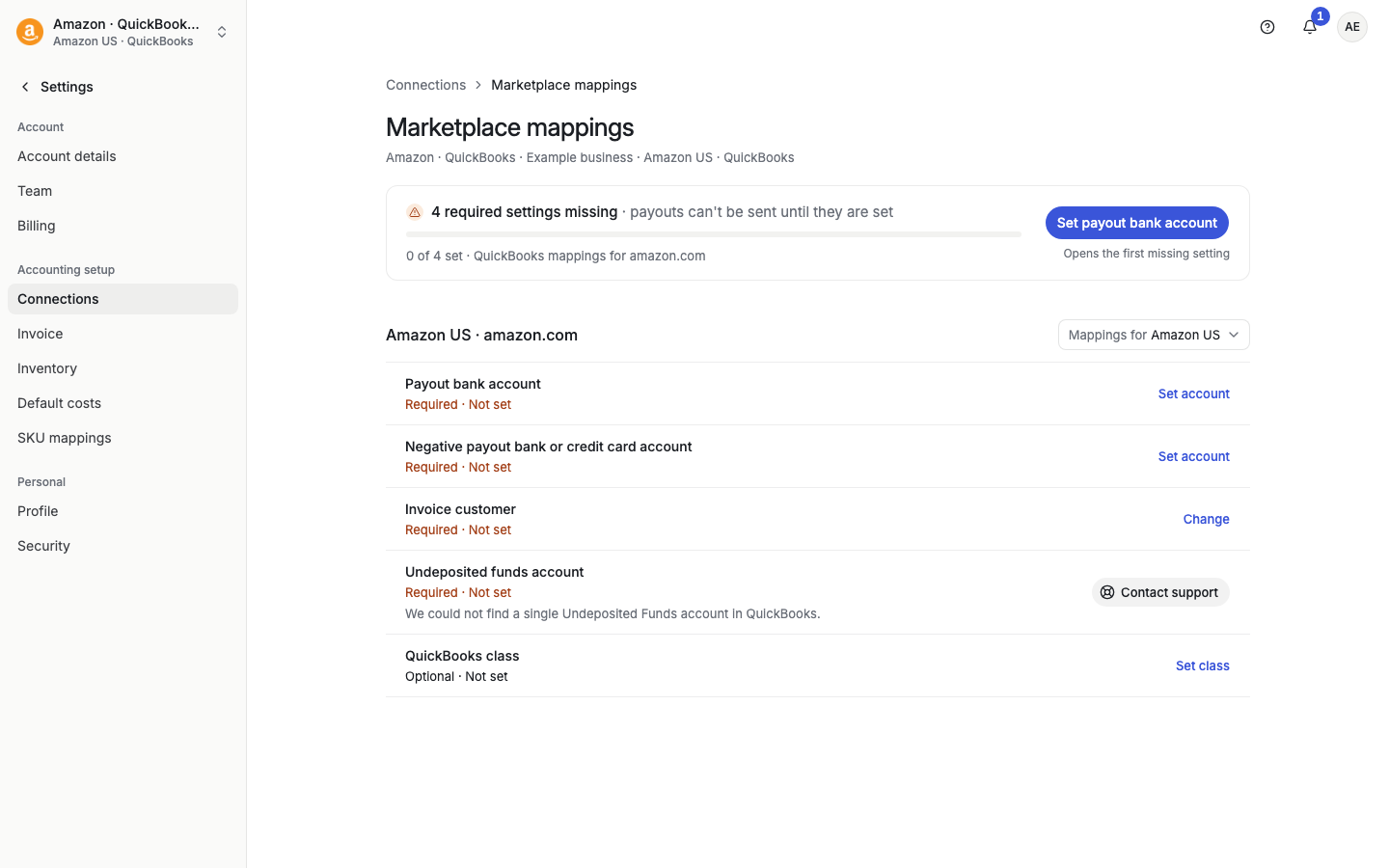
QuickBooks
Payout bank account
Negative payout bank or credit card account
Carried balance account (only if you send journal entries and Create deposit is off in Settings > Invoice)
Undeposited funds account (Amazon accounts only)
USD Shopify payout bank account and USD Shopify clearing account (Shopify accounts only): the accounts Taxomate uses when a payout is paid in USD and your other payouts are in another currency. Leave them empty if all your payouts are in one currency.
Invoice customer
QuickBooks class
Xero
Invoice customer
Xero tracking category
Wave
Invoice customer
The bank account where you receive payments from the marketplace. Connect that bank account to QuickBooks first, then choose it here.
The bank or credit card account that the marketplace charges when your payout is negative, for example when fees are higher than sales. Taxomate uses it for negative settlements. See "How are negative invoices sent to QuickBooks?".
Used for journal entries that cover more than one month. Taxomate splits those settlements by month and uses this account so you can match one deposit. See "What is the Carried Balance Account?".
A QuickBooks account that Taxomate needs for Amazon accounts. Quick Setup looks for an account named "Undeposited Funds". If it did not find one, this page looks for the QuickBooks account of that type and offers Use {account name}. Taxomate uses it only to check your setup. Deposits go to your payout bank account. If Taxomate cannot find exactly one account, the button says Contact support.
The customer that Taxomate puts on the invoices it creates for this marketplace. Search for it with Search customers, or select Create customer in QuickBooks (or Xero, or Wave) to add one. Choose the customer currency that matches the marketplace. For example, use USD for Amazon.com. Creating a customer adds it in your accounting software. It does not save the mapping. After you create it, select it in the picker.
The class Taxomate uses to track this marketplace in QuickBooks reports. See "How do I use QuickBooks Classes for marketplace tracking?".
The tracking category Taxomate uses for this marketplace in Xero. "No option" keeps the category without a specific tracking option. Tracking set on transaction types or products can still apply when an invoice is sent. See "How to use Xero Tracking for Amazon Marketplaces".
When a required setting is missing, a strip at the top says, for example, 2 required settings missing, and that payouts cannot be sent until they are set. It shows how many are set, for example "1 of 3 set". The button names the first missing setting, such as Set payout bank account or Set invoice customer. Missing rows show Required · Not set.
Required settings:
QuickBooks: Payout bank account, Negative payout account, Invoice customer, and for Amazon, Undeposited funds account.
Xero and Wave: Invoice customer.
On the row, select Set account, Set customer, or Change.
Choose from the list. In bank account pickers, turn on Show all accounts to see every account type. Select Reload list if you added an account in your accounting software a moment ago.
To remove a setting, select Clear mapping. You cannot clear the Undeposited funds account.
After you save, the page says: "Mapping saved. Rebuild existing settlements to apply it." A new mapping does not change settlements that Taxomate already built. Select Rebuild on those settlements. See "What does Rebuild do?". Settlements already sent are not changed.
If Taxomate cannot confirm that a change was saved, it says so and asks you to check before you try again.
