
Closing an account deletes it now. You cannot undo it.
Closing is not the same as cancelling. Cancel subscription stops the next renewal. You keep your access and your data until the end of the period. Close account deletes the account and its data in Taxomate now.
What is deleted and what stays
Deleted: settlements, mappings, product costs, reports and team access for this account. A team member who has no other account can also lose their Taxomate sign-in.
Billing:
If other accounts share the subscription, this account leaves it. The other accounts keep it and its plan.
If no other account shares it, billing ends now. The billing record and the subscription are deleted.
If your accountant manages billing, the page says so.
Stays: entries already sent to your accounting software. Your own sign-in, if you use other accounts.
If Shopify bills this account, closing it also disconnects Shopify billing.
Who can close an account
Only an account administrator can close an account. Accountant accounts cannot be closed here. If other accounts use this account for Shopify billing, close or change those accounts first. The page tells you if this applies.
Steps
Go to Settings > Billing.
Under Cancel or close, select Close account. The row is named Close {account name}.
Read the page Close {account name}. It says "Taxomate deletes this account now. This cannot be undone." and lists Deleted, Billing and Stays.
Optional: under Why are you closing it? (optional), choose any of Missing features, Price, Difficulty using, Not needed, Bugs or issues, or Other…. With Other…, you can add a note in Other issues (optional).
In Type the account name, {name}, to continue, type the account name. The check ignores capital letters.
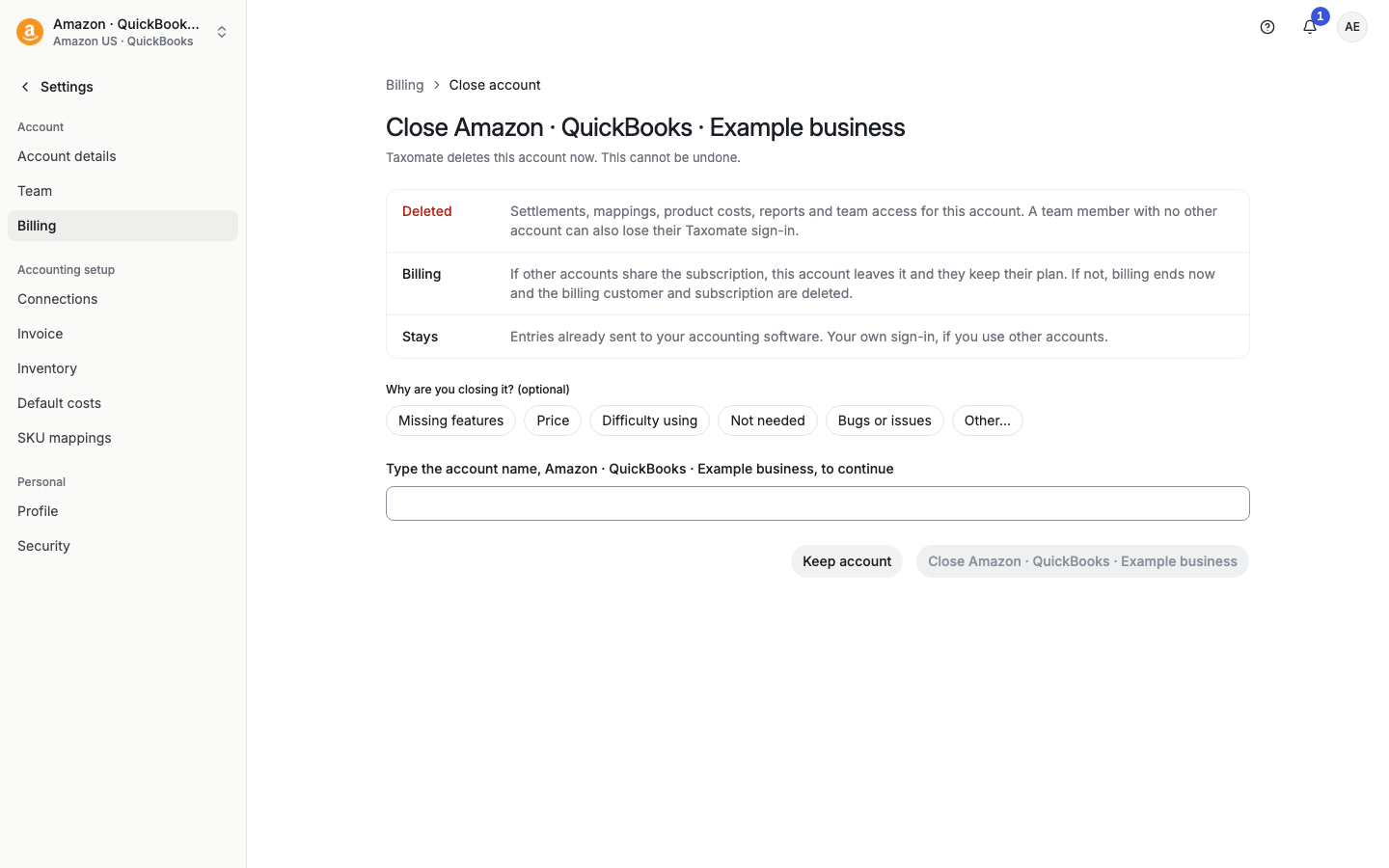
Select Close {account name}. To stop, select Keep account.
Taxomate says "Account closed. Signing out…" and signs you out.
If the page does not finish
If Taxomate cannot confirm the result, it shows We could not confirm your change. It may have been saved, so check before you try again. Select Check now to see whether the account is closed. You can also select Sign out. If the account is still available, no request was repeated, and some changes may already have completed. Contact support if you need help.
Before you close
Before you close, use Download source reports on the Settlements page and Export CSV on Valuation history if you want copies. Taxomate deletes the account now and cannot restore it.
If you only want to stop paying, cancel the subscription instead. See "How do I cancel my account?".
If you have other accounts, the account switcher lets you move to one of them. See "How do I switch user accounts?".