
By default, Taxomate shows the transaction types in your imported settlements. Types that never appeared in your settlements are not listed.
For example, if the type Amazon.com Refund ItemPrice ReturnShipping is not in any of your settlements, it does not appear on Accounts and taxes. This keeps the page short, so it is easier to map the accounts and tax codes you need.
How do I see more?
Open Accounts and taxes in the sidebar.
Select Mapping settings under the table.
Turn on Show all sub accounts.
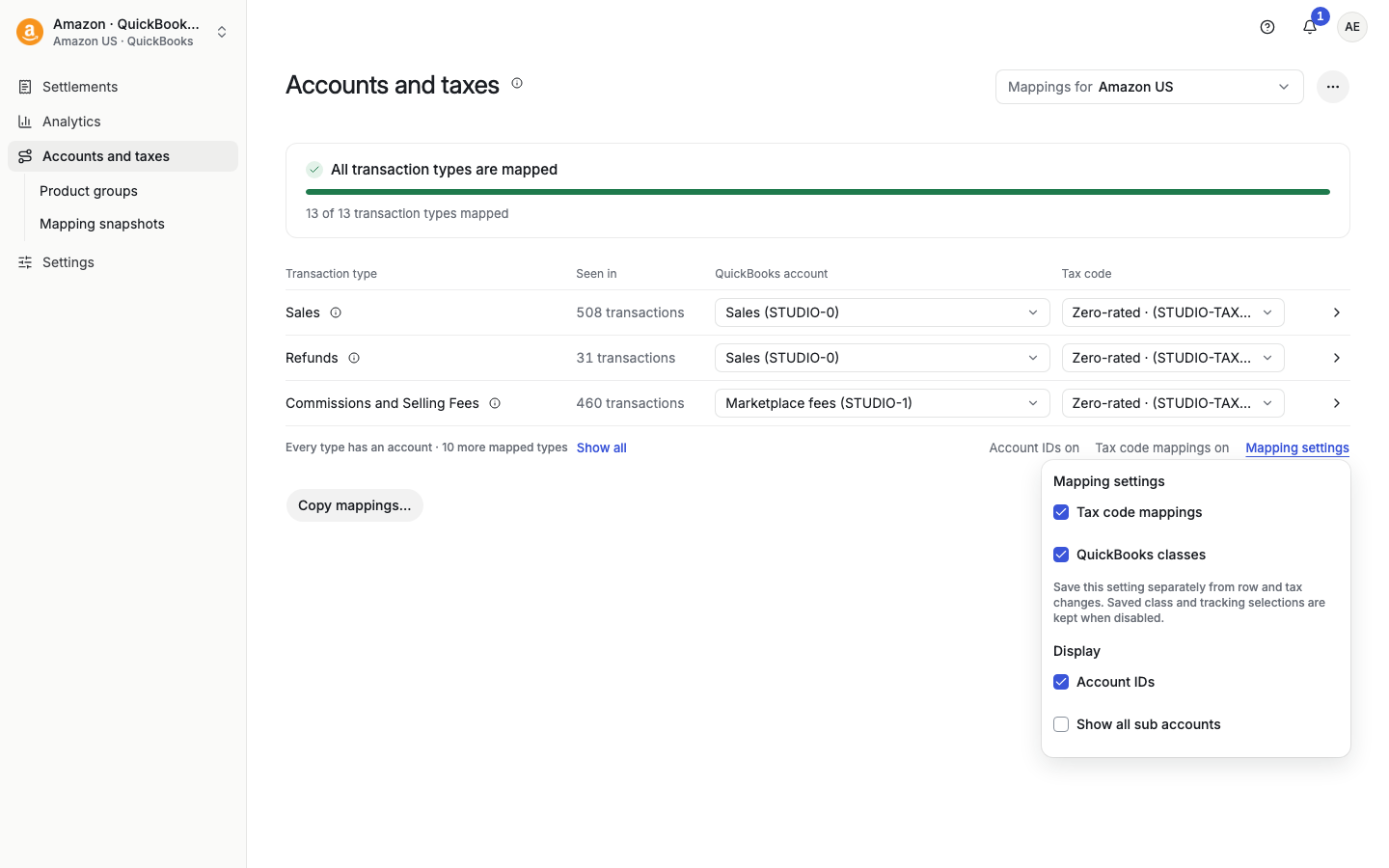
Under a category, a line such as "3 more with no transactions yet" tells you how many types are hidden. Taxomate remembers your choice on your device. To see the mapped types that are hidden at the bottom of the table, select Show all under the table.
Show all sub accounts is not available for Sales, Refunds, Shipping Income, Gift Wrapping, and Promotions when you use VAT tracking (Settings > VAT tracking).