
After you change Settings > Invoice, Settings > Inventory, or your Accounts and taxes mappings, a settlement that is not sent yet keeps its old numbers until you rebuild it. Rebuild reads the settlement again and uses your current mappings and settings.
Rebuild one settlement
Open the settlement.
Select More actions, then Rebuild from Amazon report. (For payouts the item is Rebuild from {channel} data, for example Rebuild from Shopify data. TikTok Shop payouts cannot be rebuilt.)
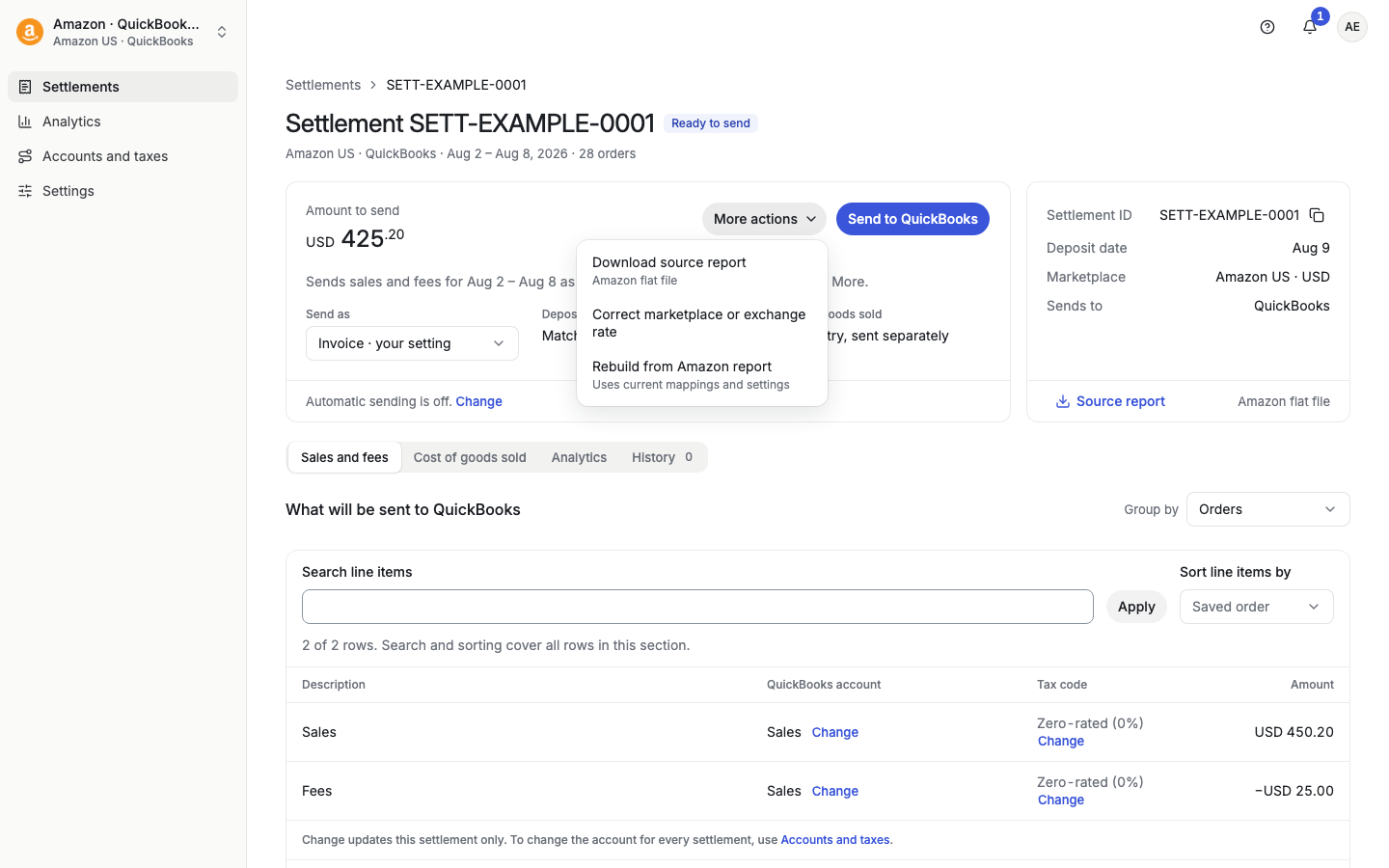
Confirm Rebuild this settlement?. This can take a few minutes.
Rebuild many settlements
On Settlements (or Payouts), select the rows you want to update.
In the bar at the bottom, select More actions.
Under Manage settlements, select Rebuild settlements. For payouts, select Rebuild payouts.
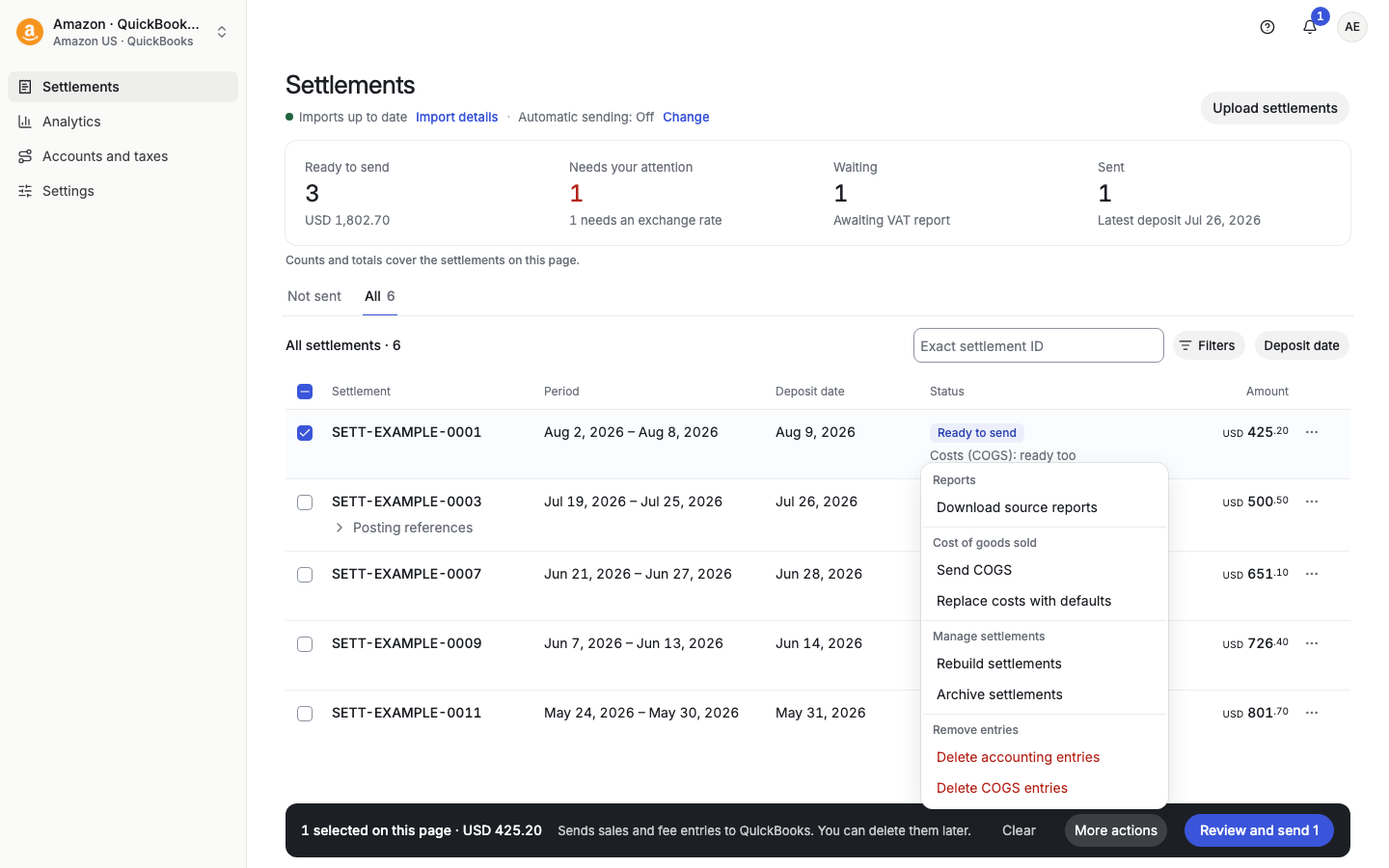
You can also use the ⋯ menu on one row and select Rebuild.
Rebuild after you save mappings
If you open Accounts and taxes from a settlement or payout (for example with Map 1 type) and save, Taxomate offers the rebuild for you. The message says Saved. 3 unsent settlements used the old mappings. Select Rebuild 3 and go back. Sent settlements do not change, and your line edits are kept. For payouts the message says "payouts".
Rebuild is not available after a send
Once any part of a settlement is sent to your accounting software, Rebuild is off. The page says Delete the entries first. To change a sent settlement:
Delete its entries (see "How do I delete a sales invoice or journal entry after sending?").
Select Rebuild.
Send the settlement again.