
Yes. One Taxomate account can have several people. Sellers often add an accountant, a bookkeeper, or a virtual assistant.
⚠️ Only an admin can add or remove people. Your account needs an active subscription before you can invite someone.
Step 1. Open the account switcher and select Team, or go to Settings > Team.
Step 2. Select Invite, enter the person's email address, and select Send invite. They get an email with a link to sign in. They join as a Member.
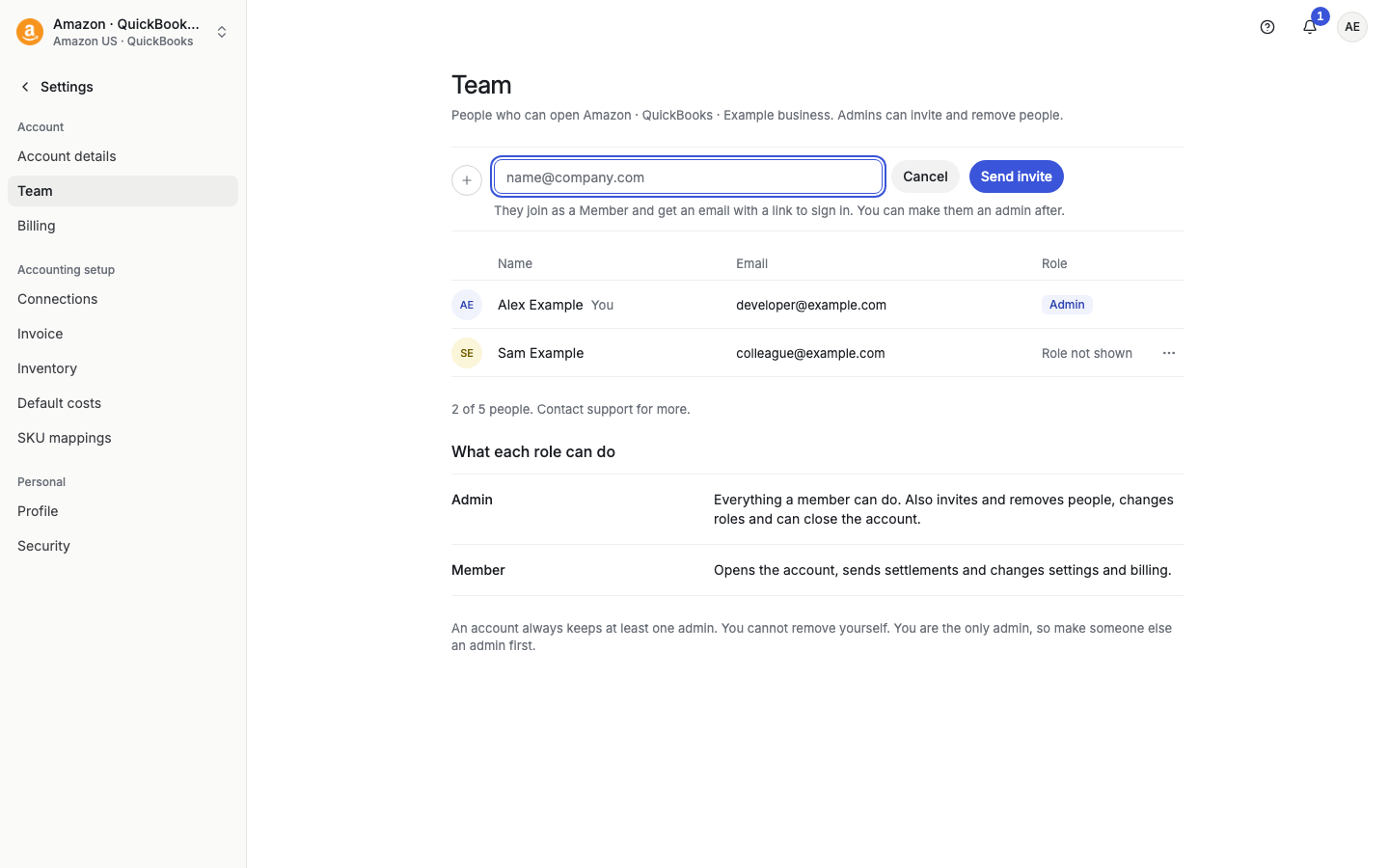
Step 3 (optional). To give someone admin access, open the ⋯ menu on their row and select Make admin. Use Remove admin to take it back, or Remove from team… to remove the person.
What each role can do: An admin can do everything a member can. An admin also invites and removes people, changes roles, and can close the account. A member opens the account, sends settlements, and changes settings and billing. An account always keeps at least one admin.
The page shows how many people the account has, for example "2 of 5 people". Contact support if you need more.