
_Note_: This feature is in beta testing and will be an additional cost once it is out of testing. QuickBooks Online Plus or Advanced plans are required. Please let us know if you have any issues.
This feature will allow you to sync eBay, Shopify, Etsy, and Walmart inventory with QuickBooks. Any sale will reduce the inventory level for the product in QuickBooks. Any refund will increase the inventory level for the product in QuickBooks.
_Note_: Sales invoices must be selected in Settings > Invoice (Post as: Sales invoices) for this feature to work. Journal entries will not work with inventory sync.
STEP 1. Go to Settings > Inventory. Under Mode, choose Sync QuickBooks inventory. Then save. You find your SKUs in Settings > SKU mappings (see Step 4).
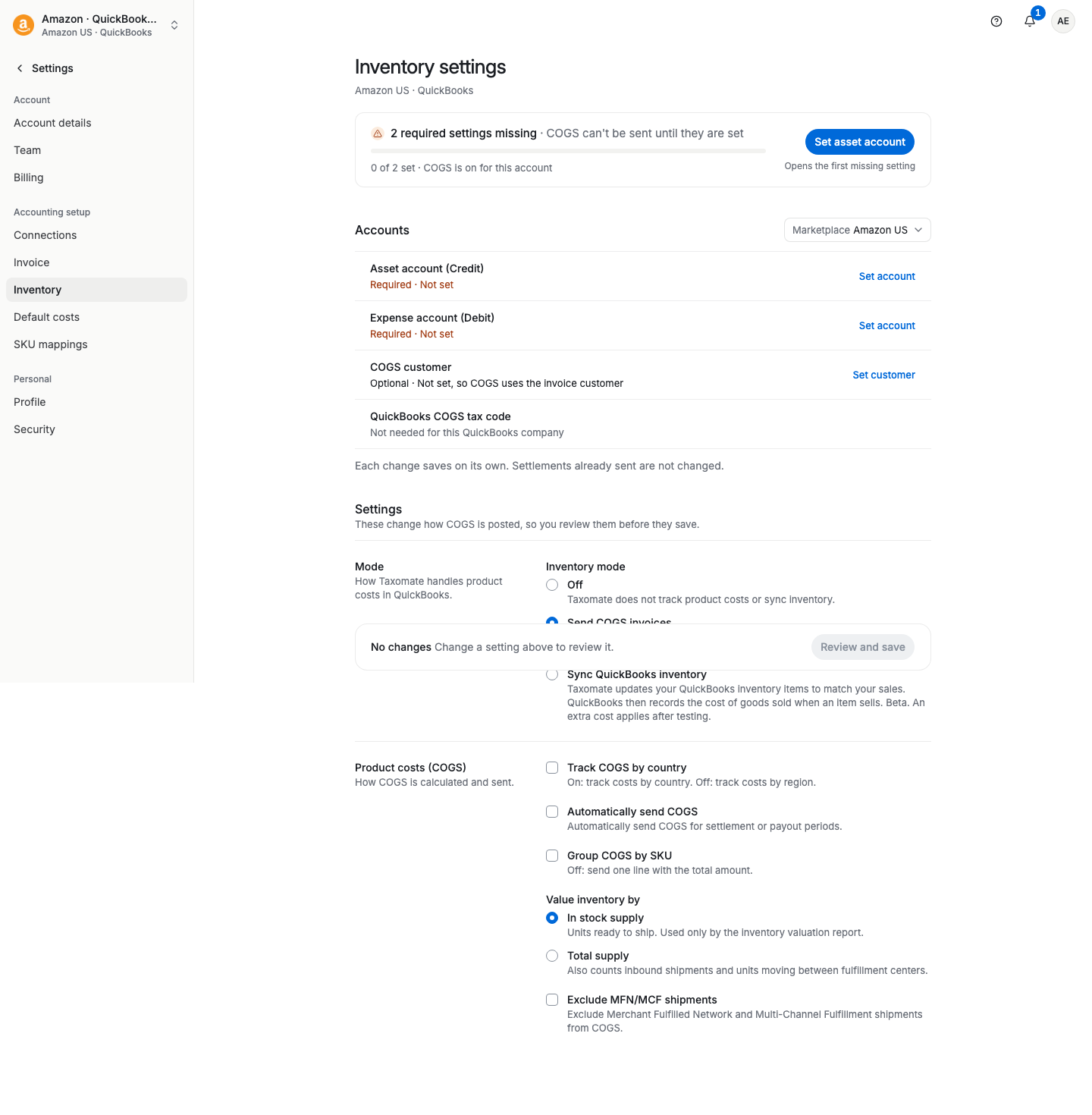
STEP 2. Under QuickBooks inventory, choose whether you would like Taxomate to create all your sales channel products in QuickBooks automatically (Automatically create inventory products). If you turn it off, you map each product yourself.
STEP 3. Choose whether you would like Taxomate to automatically adjust the inventory quantity in QuickBooks once daily to reflect the quantity for each product in your sales channel (Automatically adjust inventory).
STEP 4. (OPTIONAL) Go to Settings > SKU mappings. You can now match each SKU in your sales channel to your QuickBooks item. You can also add costs for each product in Taxomate, and we will update the cost for that SKU in QuickBooks.
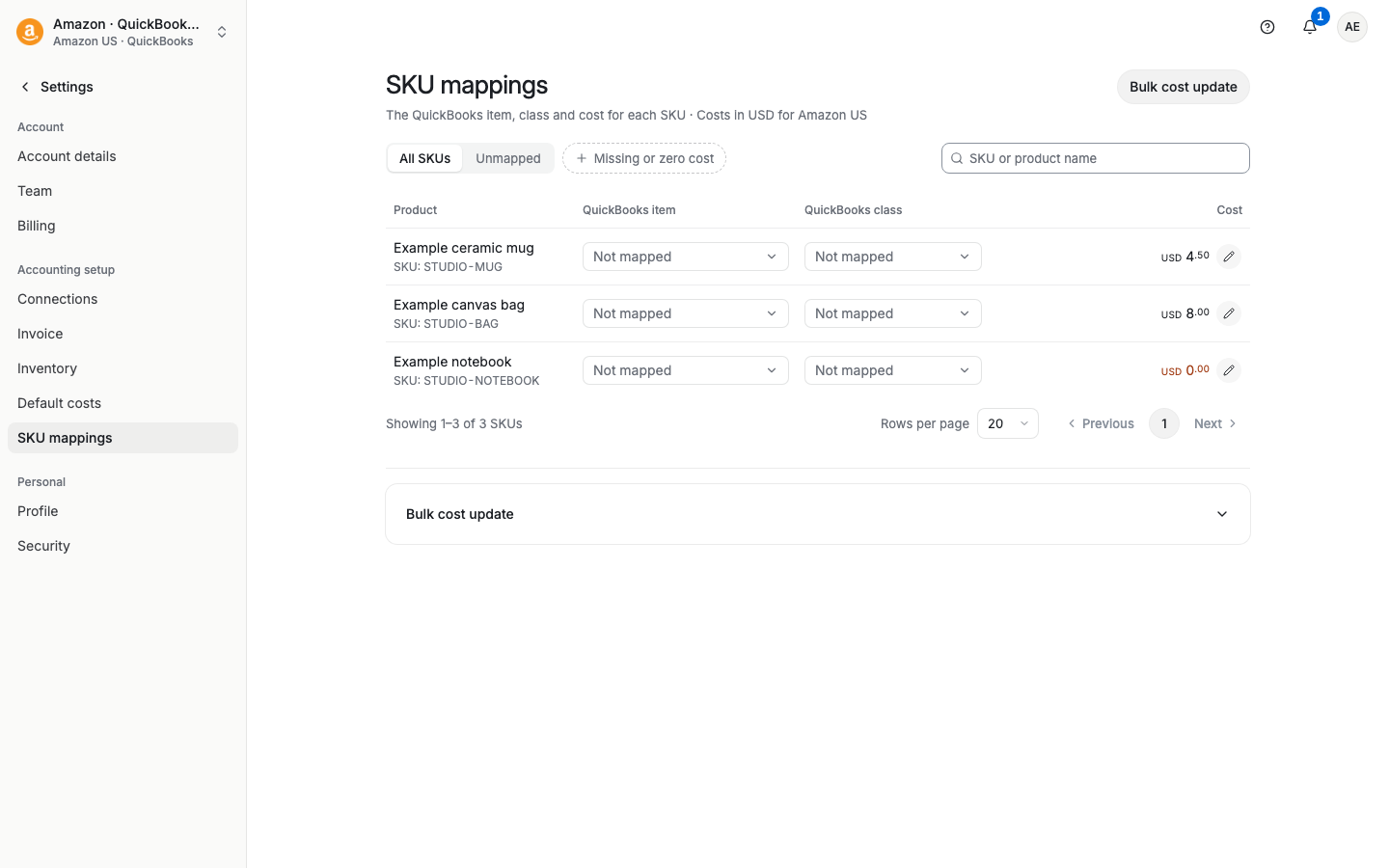
_Note_: If no QuickBooks product is matched to an eBay, Shopify, Etsy, or Walmart SKU, Taxomate will default to a Sales or Refund account on the Accounts and taxes page.
_Note_: You may see up to four invoices/credit memos per settlement period when this is enabled.
Once your inventory mappings are set, you can send invoices that reflect the changes in inventory levels.
Please let us know if you have any feedback on how we can improve this feature!