Taxomate can send eligible settlements or payouts automatically. You can also review and send them by hand. The button names use your connected accounting software: QuickBooks, Xero, or Wave.
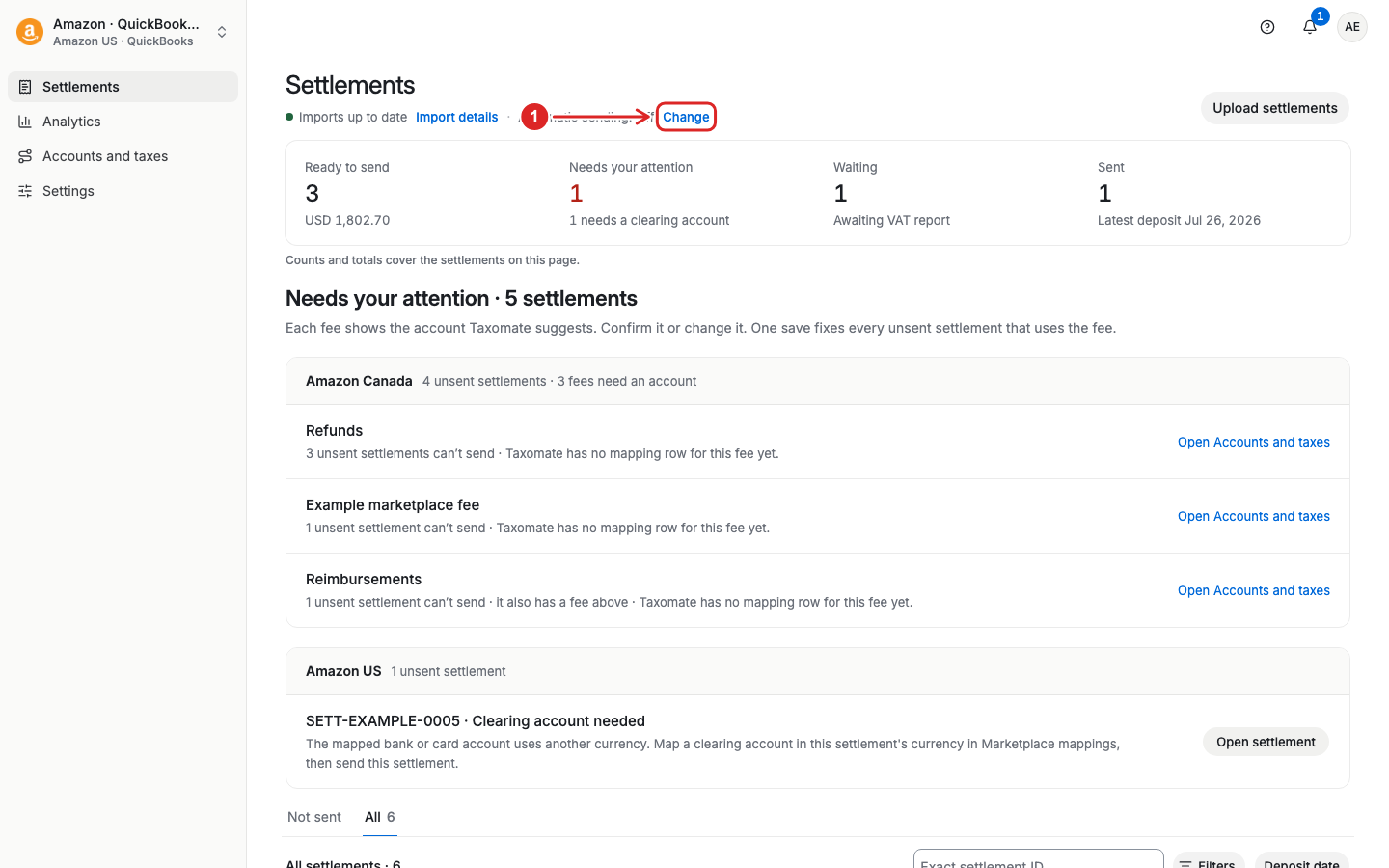
Open Settlements or Payouts. Select Change beside Automatic sending. Review the confirmation before you turn on sending for new and earlier records.
This can send earlier eligible records and retry records that failed. Your saved invoice settings and processing rules still apply. Check that the periods have not already been posted by another tool.
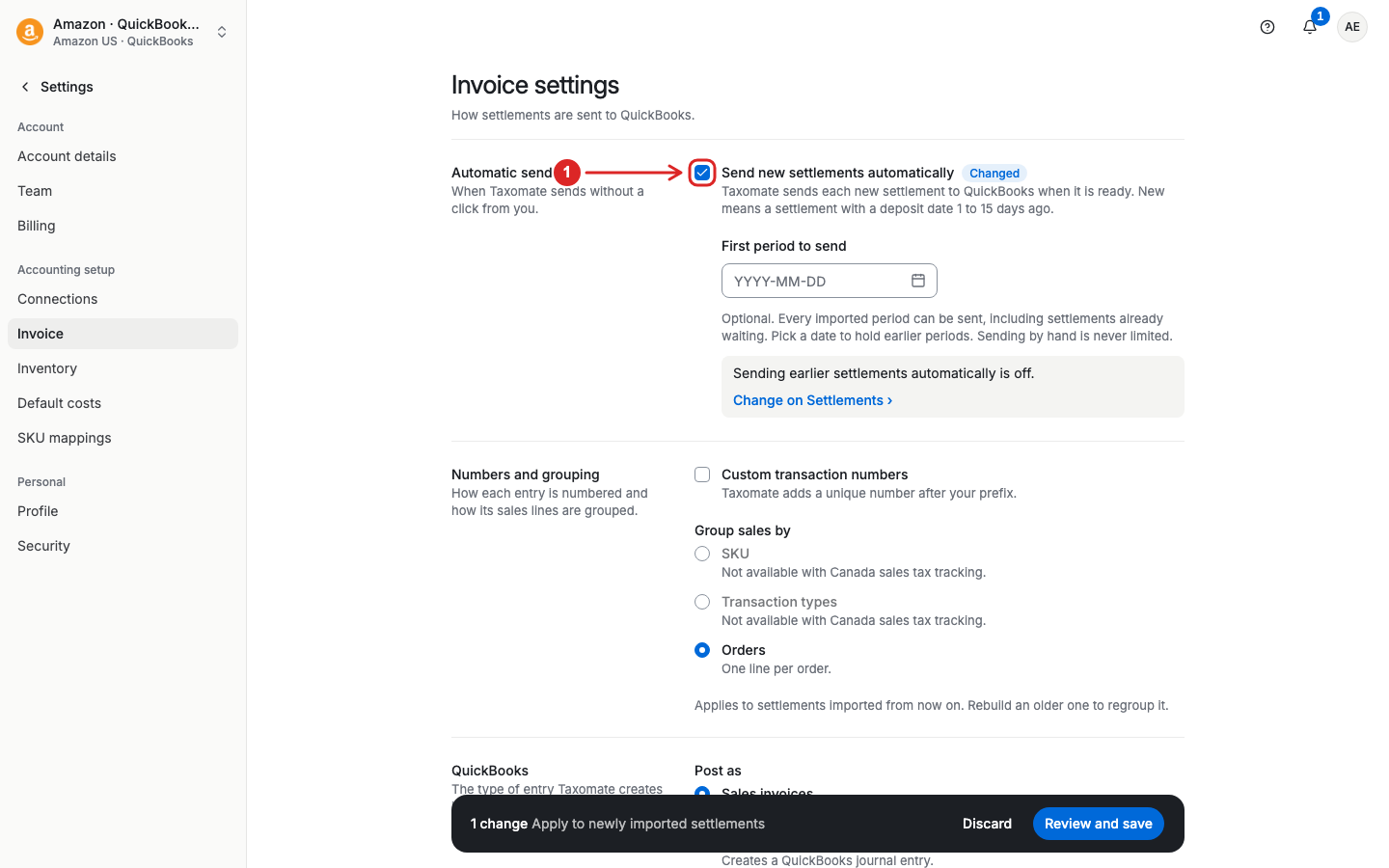
Open Settings > Invoice. Turn on Send new settlements automatically or the corresponding option for payouts.
If needed, set First period to send to hold periods that start before a chosen date. Select Review and save, review the changes, and confirm. Sending by hand is not limited by this date.
For the difference between new-only and new-and-earlier sending, see Automatic sending in Taxomate.
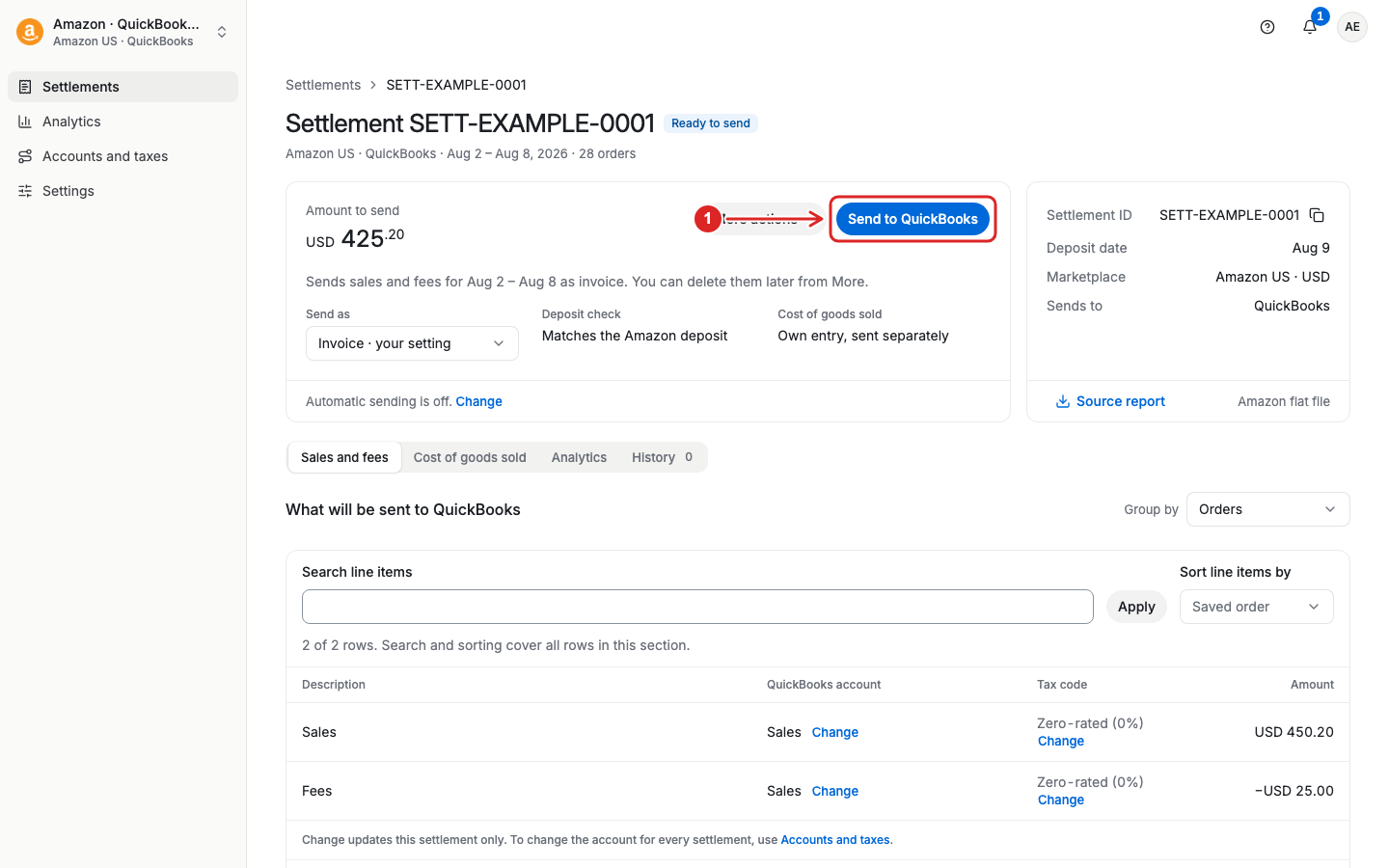
Select a settlement or payout ID to open its details. Check the period, amount, mappings, and posting status. Then select Send to QuickBooks, Send to Xero, or Send to Wave, as shown for your account. Review the confirmation before you send.
The send button at the top of the detail page sends sales and fees. Cost of goods sold (COGS) has a separate send control.
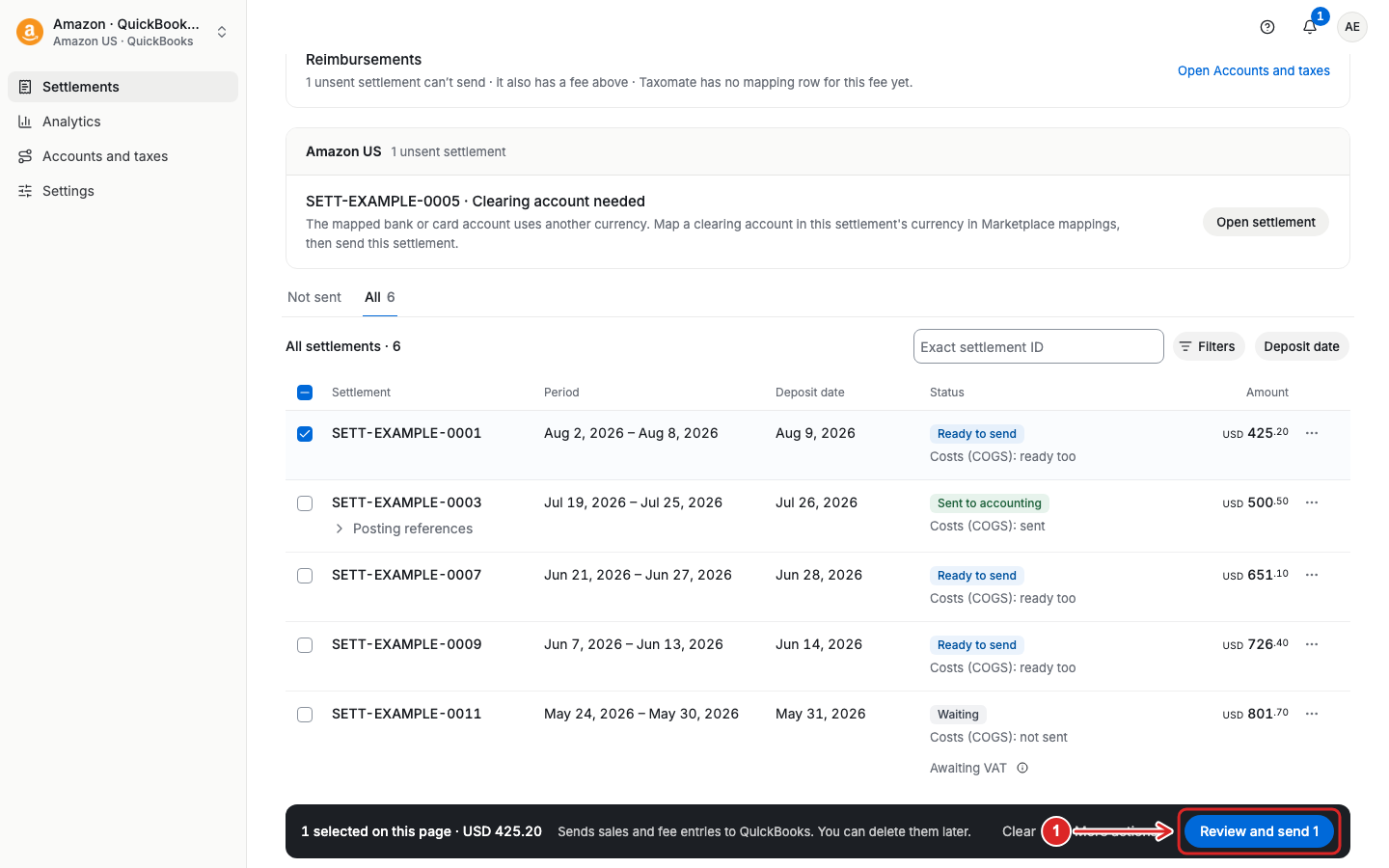
On Settlements or Payouts, select the checkbox for each record. You can use the checkbox in the table header to select the records on the current page.
Select Review and send on the selection toolbar. Check which records can be sent and resolve any issues shown in the review. Then confirm the send.
To send COGS for selected records, use More actions > Send COGS. See the COGS guide for the separate cost workflow.
In QuickBooks, the settlement/payout will be posted as a journal entry or sales invoice, which can easily be matched with your bank payment from your sales channel. You must connect your bank account separately to QuickBooks to properly reconcile.
How to reconcile in QuickBooks
In Xero, the settlement/payout will be posted as a sales invoice, which can similarly be matched to your bank payment from your sales channel. You must connect your bank account separately to Xero to properly reconcile.
In Wave, the settlement/payout will be posted as a sales invoice, which can be matched to your bank payment from your sales channel. You must connect your bank account separately to Wave to properly reconcile.
