
You can choose how Taxomate groups imported sales:
Transaction types groups sales by transaction type, such as sales, fees or refunds. We recommend it. New Amazon, Walmart and Etsy accounts start with it.
SKU groups sales by product SKU. With many products, an entry has many lines. In QuickBooks, when Post as is Sales invoices, Taxomate splits a settlement with more than 100 lines into more than one invoice or credit memo.
Orders lists income, expenses, and fees for each order. New Shopify and eBay accounts use it.
These starting choices apply only to new accounts. An existing account keeps its grouping. You can change it at any time.
To change the grouping, open Settings > Invoice, select Group sales by, choose Transaction types, SKU, or Orders, then review and save your settings.
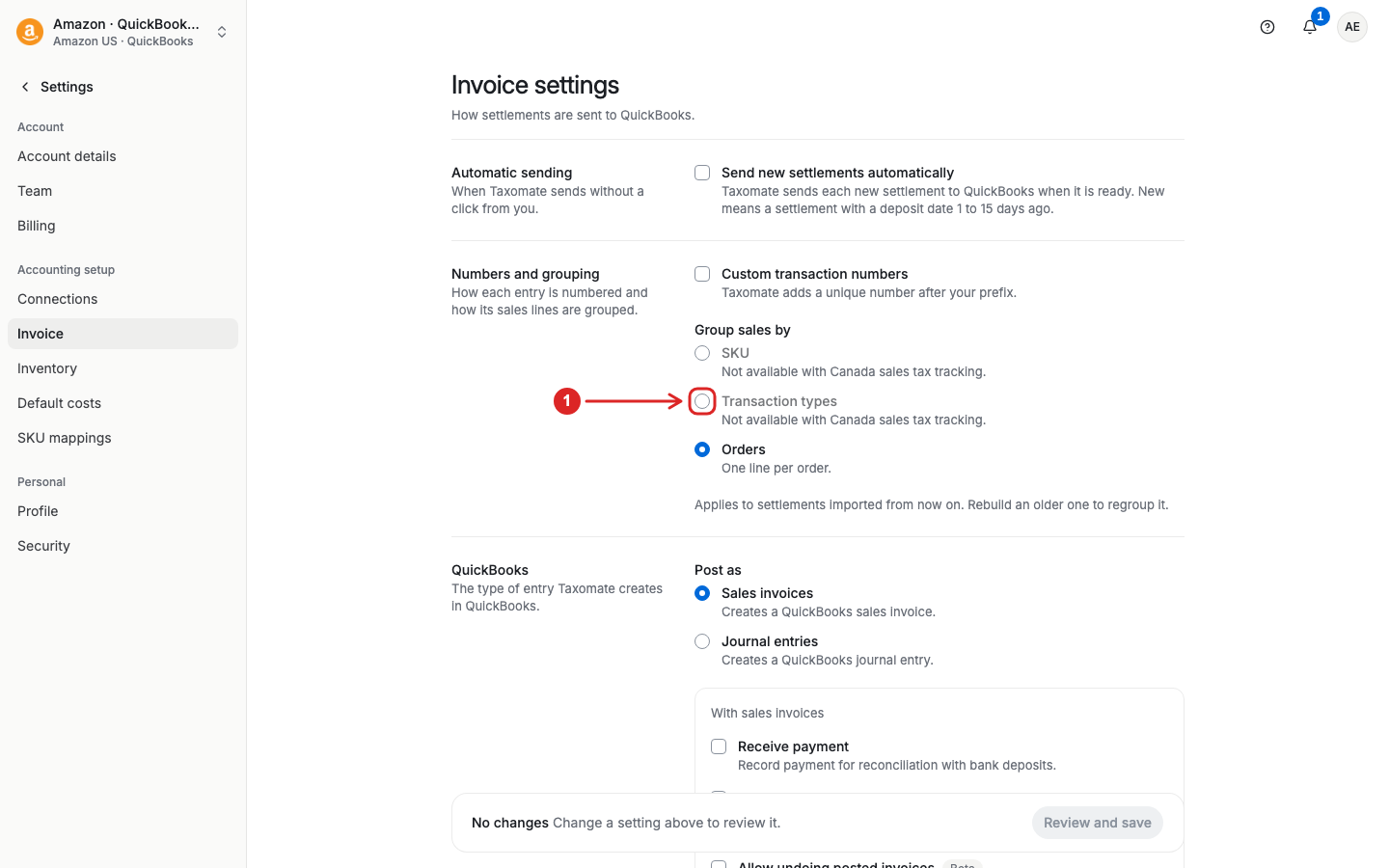
The change applies to future imported records. It does not change records that Taxomate has already imported. Refresh an older record if you need to apply the new grouping.
SKU grouping is not available with Canada sales tax tracking.