
Step 1. Select the account switcher at the top of the sidebar. It shows your account name and the channel and software, for example "Amazon US · QuickBooks".
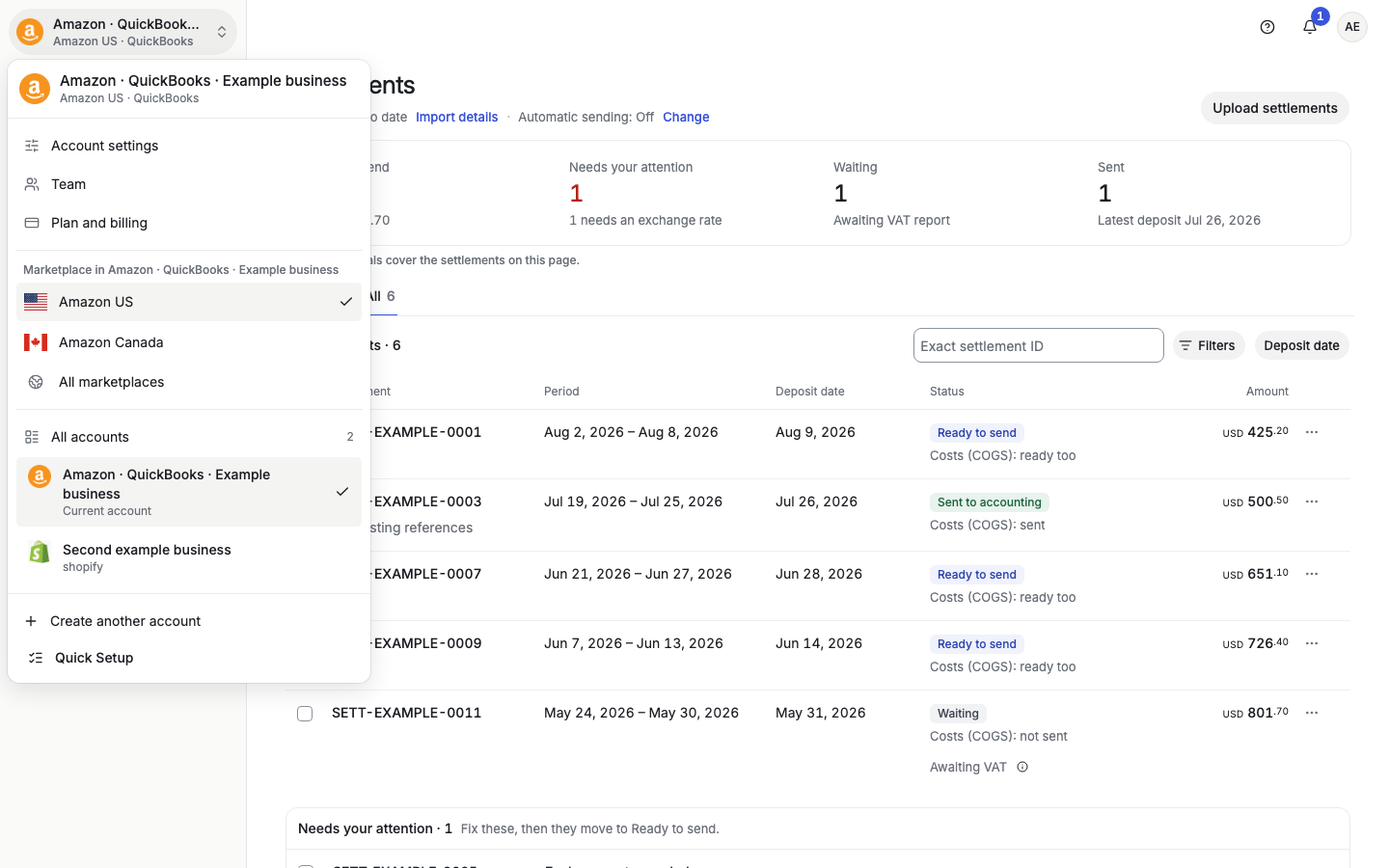
Step 2. The menu lists every account that uses your login email under All accounts. Select the account you want to open. The current account has a check mark and says "Current account".
Accounting firms see All clients instead of All accounts. If the list is long, a search box appears.
The same menu has shortcuts to Account settings, Team, and Plan and billing, the marketplace choice for this account, and Create another account. Until setup is finished, it also has Finish setup, with the number of setup steps done. After setup, open Quick Setup from Settings > Account details > Review setup.